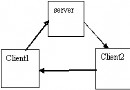
這個問題來自論壇提問,vs2005的webbrowser控件如何接收鼠標事件,很多事情其實自己動動腦子就有辦法的。主要是3步,給dom對象插入js腳本去響應鼠標-〉通過url跳轉去通知webbrowser-〉截獲跳轉事件去c#中處理
示例代碼:
1.using  System;
2.using  System.Windows.Forms;
3.using  mshtml;
4.using  SHDocVw;
5.namespace  WindowsApplication2
6.{
7.     public  partial  class  Form1 : Form
8.    {
9.         public  Form1()
10.        {
11.            InitializeComponent();
12.        }
13.
14.         private   void  Form1_Load( object  sender, EventArgs e)
15.        {
16.             this .webBrowser1.Navigating +=  new  WebBrowserNavigatingEventHandler(webBrowser1_Navigating);
17.             this .webBrowser1.Navigate( "http://www.google.com" );
18.            SHDocVw.WebBrowser wb =  this .webBrowser1.ActiveXInstance  as  SHDocVw.WebBrowser;
19.            wb.NavigateComplete2 +=  new  SHDocVw.DWebBrowserEvents2_NavigateComplete2EventHandler(wb_NavigateComplete2);
20.        }
21.
22.         void  webBrowser1_Navigating( object  sender, WebBrowserNavigatingEventArgs e)
23.        {
24.             if  (e.Url.ToString().ToLower().Trim( '/' ) ==  "cmd://onmousedown" )
25.            {
26.                MessageBox.Show( "jinjazz 路過" );
27.                e.Cancel =  true ;
28.            }
29.        }
30.         void  wb_NavigateComplete2( object  pDisp,  ref   object  URL)
31.        {
32.            mshtml.IHTMLDocument2 doc = ( this .webBrowser1.ActiveXInstance  as  SHDocVw.WebBrowser).Document  as  mshtml.IHTMLDocument2;
33.            doc.parentWindow.execScript( "document.onmousedown=function(e) { window.location='cmd://onmousedown'}" ,  "javascript" );
34.        }
35.
36.
37.    }
38.}