 再學GDI+[81]: TGPImage(1) - 顯示圖像
已知 GDI+ 可以支持的圖像格式: BMP、JPEG、GIF、TIFF、PNG、ICO、WMF、EMFTGPGraphics.DrawImage
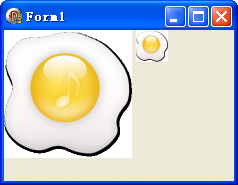 再學GDI+[82]: TGPImage(2) - GetThumbnailImage - 略縮圖
本例效果圖:代碼文件:unit Unit1;interfaceuses Windows, Messages, SysUtils, Variants
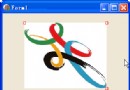 再學GDI+[83]: TGPImage(3) - 平行四邊形變換
本例效果圖:代碼文件:unit Unit1;interfaceuses Windows, Messages, SysUtils, Variants
 再學GDI+[84]: TGPImage(4) - 把圖像顯示在指定的矩形中
本例效果圖:代碼文件:unit Unit1;interfaceuses Windows, Messages, SysUtils, Variants
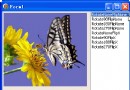 再學GDI+[85]: TGPImage(5) - RotateFlip - 旋轉與鏡像
本例效果圖:代碼文件:unit Unit1;interfaceuses Windows, Messages, SysUtils, Variants
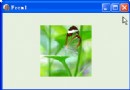 再學GDI+[86]: TGPImage(6) - 拖動圖像
本例效果圖:代碼文件:unit Unit1;interfaceuses Windows, Messages, SysUtils, Variants
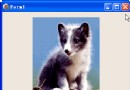 再學GDI+[87]: TGPImage(7) - 調整圖像大小
本例效果圖:代碼文件:unit Unit1;interfaceuses Windows, Messages, SysUtils, Variants
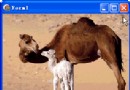 再學GDI+[88]: TGPImage(8) - 放大鏡
本例效果圖:代碼文件:unit Unit1;interfaceuses Windows, Messages, SysUtils, Variants
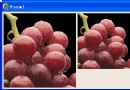 再學GDI+[89]: TGPImage(9) - 圖像縮放時的質量(算法)
本例效果圖:代碼文件:unit Unit1;interfaceuses Windows, Messages, SysUtils, Variants
 再學GDI+[90]: TGPImage(10) - 獲取圖像的調色板信息
本例效果圖:代碼文件:unit Unit1;interfaceuses Windows, Messages, SysUtils, Variants
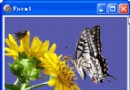 再學GDI+[91]: TGPImage(11) - 轉灰度圖像
本例效果圖:代碼文件:unit Unit1;interfaceuses Windows, Messages, SysUtils, Variants
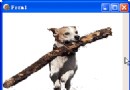 再學GDI+[92]: TGPImage(12) - 調整圖像透明度
本例效果圖:代碼文件:unit Unit1;interfaceuses Windows, Messages, SysUtils, Variants
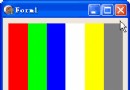 再學GDI+[93]: TGPImage(13) - 調整圖像紅、綠、藍三原色及透明度
本例效果圖:代碼文件:unit Unit1;interfaceuses Windows, Messages, SysUtils, Variants
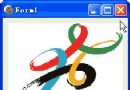 再學GDI+[94]: TGPImage(14) - 增減圖像的紅、綠、藍三色的成分
本例效果圖:代碼文件:unit Unit1;interfaceuses Windows, Messages, SysUtils, Variants
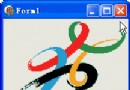 再學GDI+[95]: TGPImage(15) - 顏色的旋轉變換
我通過做此例同時證實了 GDI+ 可以直接顯示 png、gif、tif 格式的透明圖片.//紅色與綠色繞藍色旋轉(r 是弧度)ColorMatri
 再學GDI+[96]: TGPImage(16) - 所謂剪取顏色
{紅色增加綠色的 m 倍、藍色的 n 倍}ColorMatrix: TColorMatrix = ( (1.0, 0.0, 0.0, 0.0, 0
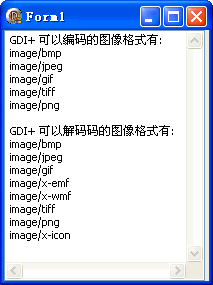
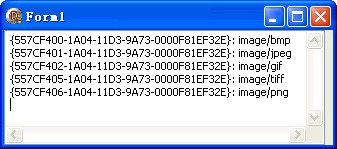 再學GDI+[98]: TGPImage(18) - 獲取 GDI+ 圖像格式對應的 GUID
和在 Net 中不同的是, 在具體指定圖像格式時, 這裡常常需要的不是格式名稱, 而是格式的 GUID;知道了格式名稱, 用 GetEncoder