 Delphi2009初體驗 - 語言篇 - 智能指針(Smart Pointer)的實現(13)
2、什麼使用時候使用Release方法首先我們為測試單元加入use:Generics.Collections,再將TTestClass類修改如下:type
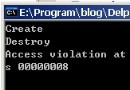
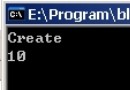 Delphi2009初體驗 - 語言篇 - 智能指針(Smart Pointer)的實現(14)
運行失敗了,原因是在DoTestAutoPtr方法退出了以後,TAutoPtr<TTestClass>.New(TTestClass.Create
 Delphi2009初體驗 - 語言篇 - 智能指針(Smart Pointer)的實現(二)(2)
三、解決問題在解決問題之前,我們先進行如下的規定:TAutoPtr<T>中的T智能傳入Class類型或指針類型,不能傳入如Integer、reco
 Delphi2009初體驗 - 語言篇 - 智能指針(Smart Pointer)的實現(二)(3)
而_Finalize方法是做對有類型的指針(如:PGUID)所指向的結構體變量的一些“善後工作”,如果為純Pointer,_Finalize方法內將不執行:a
Delphi2009初體驗 - 語言篇 - 智能指針(Smart Pointer)的實現(二)(4)
五、完整代碼{******************************************************** Delphi Smart Po
Delphi 2009之TStringBuilder類[2]: Append與AppendFormat(2)
//TStringBuilder.Append 截取字符數組和字符串procedure TForm1.Button2Click(Sender: TObject
Delphi 2009之TCategoryPanelGroup[1]: ChevronAlignment等(2)
窗體文件:object Form1: TForm1 Left = 0 Top = 0 Caption = Form1 ClIEntHeight = 224 C
Delphi 2009之TCategoryPanelGroup[2]: HeaderAlignment、GradientDirection(2)
窗體文件:object Form1: TForm1 Left = 0 Top = 0 Caption = Form1 ClIEntHeight = 209 C
Delphi 2009之TCategoryPanelGroup[3]: Color(2)
窗體文件:object Form1: TForm1 Left = 0 Top = 0 Caption = Form1 ClIEntHeight = 207 C
Delphi 2009之TCategoryPanelGroup[4] Height(2)
窗體文件:object Form1: TForm1 Left = 0 Top = 0 Caption = Form1 ClIEntHeight = 187 C
Delphi 2009之TCategoryPanelGroup[5]: HeaderStyle(2)
窗體文件:object Form1: TForm1 Left = 0 Top = 0 Caption = Form1 ClIEntHeight = 162 C
Delphi 2009新增單元 Character[1](2)
窗體文件:object Form1: TForm1 Left = 0 Top = 0 Caption = Form1 ClIEntHeight = 141 C
Delphi 2009泛型容器單元(Generics.Collections)[1]: TList(2)
代碼文件:unit Unit1;interfaceuses Windows, Messages, SysUtils, Variants, Classes, G
Delphi 2009泛型容器單元(Generics.Collections)[2]: TQueue<T>(2)
窗體文件:object Form1: TForm1 Left = 0 Top = 0 Caption = Form1 ClIEntHeight = 147 C
Delphi 2009泛型容器單元(Generics.Collections)[4]: TDictionary<T>(2)
窗體文件:object Form1: TForm1 Left = 0 Top = 0 Caption = Form1 ClIEntHeight = 165 C
Delphi 2009泛型容器單元(Generics.Collections)[5]: TObject...<T> 系列(2)
窗體文件:object Form1: TForm1 Left = 0 Top = 0 Caption = Form1 ClIEntHeight = 153 C
Delphi 2009的反射單元(ObjAuto)(2)
單元(Unit1):unit Unit1;interfaceuses Windows, Messages, SysUtils, Variants, Class
Delphi 2009的反射單元(ObjAuto)(3)
窗體文件:object Form1: TForm1 Left = 0 Top = 0 Caption = Form1 ClIEntHeight = 114 C