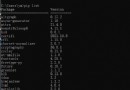
Simple mail transfer protocol Interactive Mail Access Protocol Enter the following command at the command line , Both modules can be installed at the same time
pip install yagmail keyring --user
Because the password / Authorization code , Write in the location of the code , It's very dangerous , Easy to leak
mail = yagmail.smtp() Instantiate an object , Need the parameter passed in :user=“ Sender ”,password=“ Authorization code ”, host=“smtp The server ”mail.send() The module sends the mail content , Need the parameter passed in :to=“ The recipient ”,subject=“ The subject of the email ”,contents=“ The body of the email ”, attachments=“ Send email attachments ”yagmail.SMTP(user= user name , host=SMTP Server domain name ) # The server domain name is the second largest point , The one you remember SMTP Server address
yagmail.SMTP(user= user name , password= Authorization code , host=SMTP Server domain name )
mail.send( Recipient user name , Email title , Email content )
# Example : Log in to email , And send an email ; Their own 163 mailbox , Give yourself the qq Email , Don't disturb people
import yagmail
mail = yagmail.SMTP(user='[email protected]', host='smtp.163.com') #xxxxx Part of , Change to your own 163 Email account name
contents = [' The first paragraph is ', ' The second paragraph says ']
mail.send('[email protected]', ' This is an email ', contents) # xxxxx Part of , Change to your own QQ Account name # We just need to build on that , The recipient's user name , Just change to list transmission import yagmail mail = yagmail.SMTP(user='[email protected]', host='smtp.163.com') contents = [' The first paragraph is ', ' The second paragraph says '] received = ['[email protected]', '[email protected]'] mail.send(received, ' Mass email test ', contents)
import yagmail
mail = yagmail.SMTP(user='[email protected]', host='smtp.163.com')
contents = [' The first paragraph is ', ' The second paragraph says ', r'D:\Pictures\ preservation \ pen _1.png'] # File address , Be sure to be accurate to the file name , Cannot be a folder
mail.send('[email protected]', ' Mail test with attachments ', contents)Statement format with links :<a href= Link website > Link displayed text </a>
import yagmail
mail = yagmail.SMTP(user='[email protected]', host='smtp.163.com')
contents = [' The first paragraph is ', ' The second paragraph says ', '<a href="https://www.baidu.com"> Some degree </a>']
mail.send('[email protected]', ' Mail test with links ', contents)8、 Send a message with a picture inserted in the body
Insert the sentence format of the picture : yagmail.inline(r' Picture path ')
import yagmail
mail = yagmail.SMTP(user='xxxxx.com', host='smtp.163.com')
contents = [' The first paragraph is ', ' The second paragraph says ', yagmail.inline(r'D:\Pictures\ wallpaper \ wallpaper .jfif')]
mail.send('[email protected]', ' Email test with pictures inserted in the body ', contents)import yagmail
def send_mail(sender='[email protected]', password=None, receivers=None,
subject=' Send mail automatically ', contents=None, attaches=None, host='smtp.qq.com'):
"""
Send mail automatically
:param sender: Sender
:param password: Verification Code
:param receivers: The recipient
:param subject: The theme
:param contents: Content
:param attaches: The attachment
:param host: The server
:return: none
"""
try:
mail = yagmail.SMTP(user=sender, password=password, host=host)
mail.send(to=receivers, subject=subject, contents=contents, attachments=attaches)
except Exception as e:
print(' Failed to send mail ', e)
else:
print(' Mail sent successfully ')
if __name__ == '__main__':
import schedule
password = ' Authorization code '
receivers = '[email protected]'
contents = ["<h1 style='color:red'> Your disk usage has reached 90%</h1>"]
attaches = ['picture.jpg']
schedule.every(2).seconds.do(send_mail, password=password,
receivers='[email protected]',
contents=contents,
attaches=attaches)
while True:
schedule.run_pending()schedule: Lightweight scheduled task scheduling Library . Can complete every minute , Every hour , Every day , What day of the week , Scheduled tasks for a specific date
import schedule
import time
def job():
print("I'm working...")
schedule.every(10).minutes.do(job) # Every ten minutes , Do it once
schedule.every().hour.do(job) # Every other hour , Do it once
schedule.every().day.at("10:30").do(job) # Daily 10:30, Do it once
schedule.every(5).to(10).days.do(job) # every other 5 To 10 God , Do it once
schedule.every().monday.do(job) # Every Monday , At this moment , Do it once
schedule.every().wednesday.at("13:15").do(job) # Three days a week 13:15, Do it once
while True: # Dead cycle , Always check whether the above tasks can be executed
schedule.run_pending() # run_pending Run runnable tasks
time.sleep(1)
# If the function has arguments , Just add the parameters directly , As shown below
import schedule
import time
def job(name):
print("her name is : ", name)
name = xiaona
schedule.every(10).minutes.do(job, name)
schedule.every().hour.do(job, name)
schedule.every().day.at("10:30").do(job, name)
schedule.every(5).to(10).days.do(job, name)
schedule.every().monday.do(job, name)
schedule.every().wednesday.at("13:15").do(job, name)
while True:
schedule.run_pending()
time.sleep(1)schedule The limitations of :
1、 Functions that need to run regularly job It should not be of the dead loop type , in other words , This thread should have an exit after execution . One is that the thread should die , Can be a very difficult problem ; Second, the next scheduled task will start a new thread , More times of execution will lead to disaster
2、 If schedule The time interval of is set higher than job The execution time is short , It will also cause a disaster due to thread accumulation , in other words , I job The execution time of is 1 Hours , But what I set for the scheduled task is 5 Minutes at a time , That will keep piling up threads