Java實現在不同線程中運行的代碼實例。本站提示廣大學習愛好者:(Java實現在不同線程中運行的代碼實例)文章只能為提供參考,不一定能成為您想要的結果。以下是Java實現在不同線程中運行的代碼實例正文
本文實例講述了Java實現在不同線程中運行的代碼。分享給大家供大家參考,具體如下:
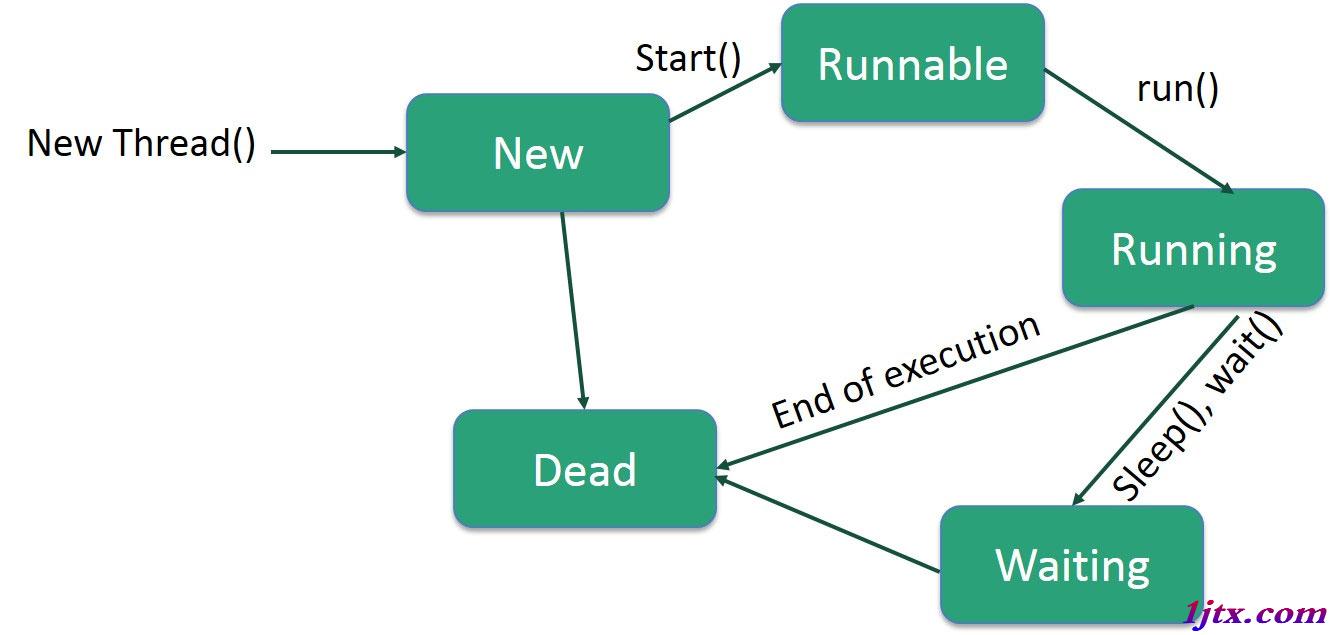
start()方法開始為一個線程分配CPU時間,這導致對run()方法的調用。
代碼1
package Threads;
/**
 * Created by Frank
 */
public class ThreadsDemo1 extends Thread {
 private String msg;
 private int count;
 public ThreadsDemo1(final String msg, int n) {
  this.msg = msg;
  count = n;
  setName(msg + " runner Thread");
 }
 public void run() {
  while (count-- > 0) {
   System.out.println(msg);
   try {
    Thread.sleep(100);
   } catch (InterruptedException e) {
    return;
   }
  }
  System.out.println(msg + " all done.");
 }
 public static void main(String[] args) {
  new ThreadsDemo1("Hello from X", 10).start();
  new ThreadsDemo1("Hello from Y", 15).start();
 }
}
代碼2:
package Threads;
/**
 * Created by Frank
 */
public class ThreadsDemo2 implements Runnable {
 private String msg;
 private Thread t;
 private int count;
 public static void main(String[] args) {
  new ThreadsDemo2("Hello from X", 10);
  new ThreadsDemo2("Hello from Y", 15);
 }
 public ThreadsDemo2(String m, int n) {
  this.msg = m;
  count = n;
  t = new Thread(this);
  t.setName(msg + "runner Thread");
  t.start();
 }
 public void run() {
  while (count-- > 0) {
   System.out.println(msg);
   try {
    Thread.sleep(100);
   } catch (InterruptedException e) {
    return;
   }
  }
  System.out.println(msg + " all done.");
 }
}
代碼3:
package Threads;
/**
 * Created by Frank
 */
public class ThreadsDemo3 {
 private int count;
 public static void main(String[] args) {
  new ThreadsDemo3("Hello from X", 10);
  new ThreadsDemo3("Hello from Y", 15);
 }
 public ThreadsDemo3(final String msg, int n) {
  this.count = n;
  Thread t = new Thread(new Runnable() {
   public void run() {
    while (count-- > 0) {
     System.out.println(msg);
     try {
      Thread.sleep(100);
     } catch (InterruptedException e) {
      return;
     }
    }
    System.out.println(msg + " all done.");
   }
  });
  t.setName(msg + " runner Thread");
  t.start();
 }
}
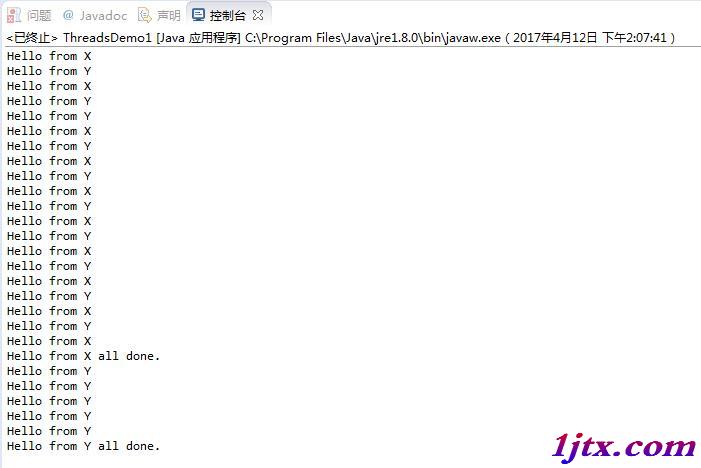
eclipse運行結果如下:
希望本文所述對大家java程序設計有所幫助。