以下內容完全為本人原創,如若轉載,請注明出自:http://www.cnblogs.com/XiOrang/
前兩天在項目中因為要通過http請求獲取一個比較大的json數據(300KB左右)並且保存,思來想去,最後還是決定將獲取到的json數據以文件的形式保存下來,每次使用的時候去讀取文件就可以了。
廢話不多說了,直接上代碼。
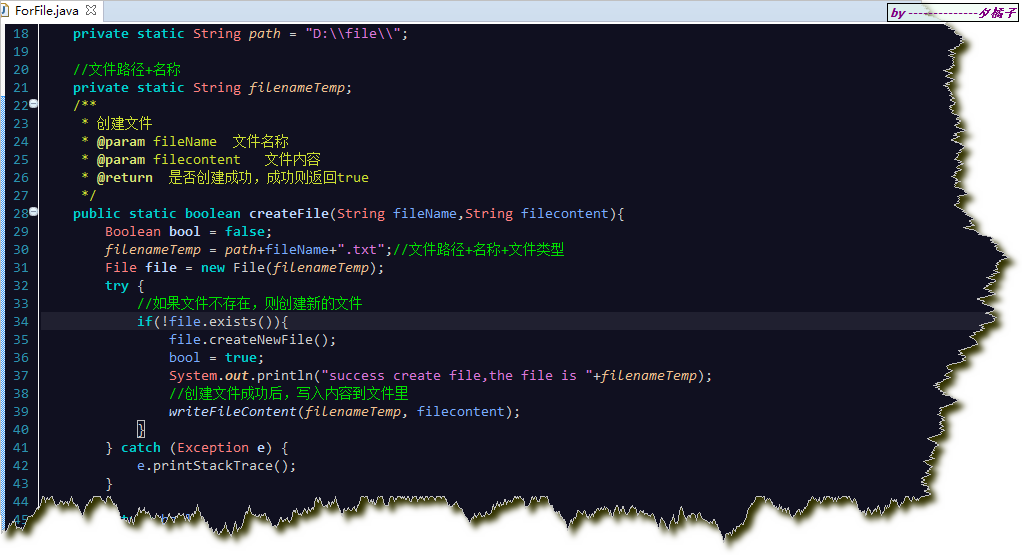
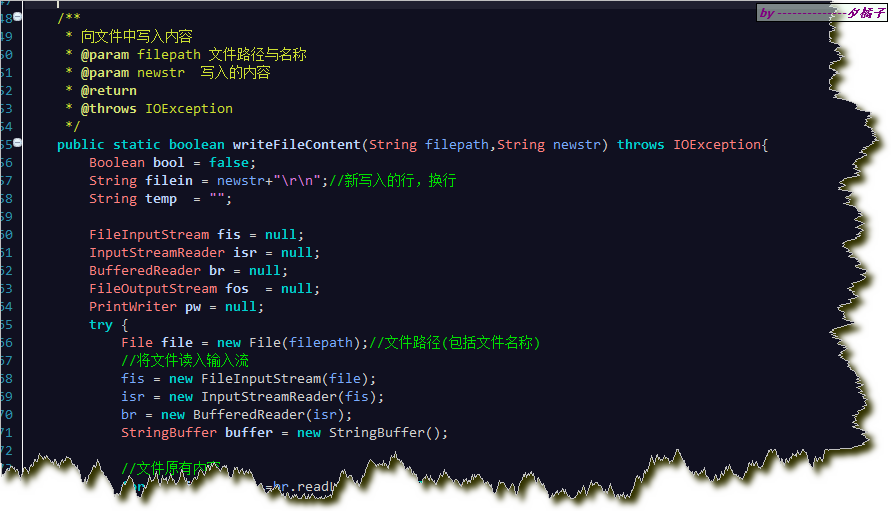
以下是代碼截圖,文章結尾會有完成的代碼文件可供下載。
創建文件方法:
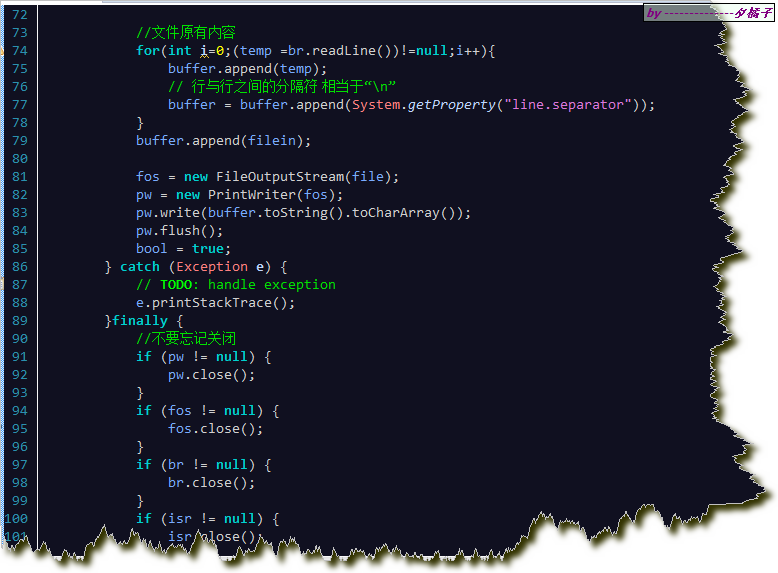
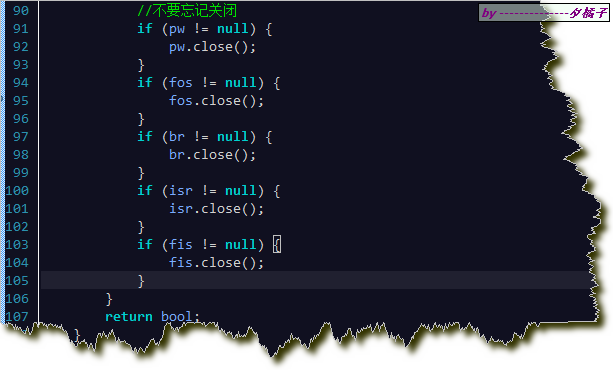
寫入文件內容方法:
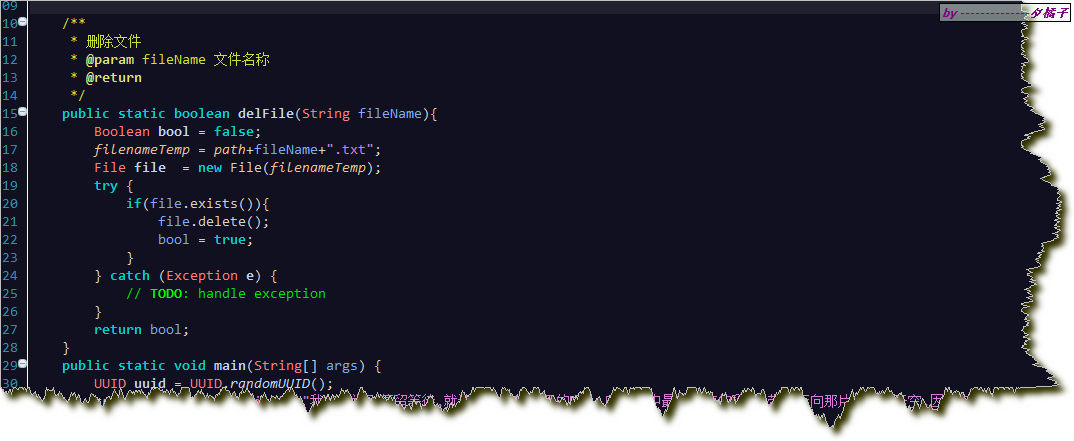
刪除文件方法:
測試:

關於文件創建,寫入內容,刪除。可以根據自己的情況再稍作修改。
以下是代碼類。
package com.file.run;

import java.io.BufferedReader;
import java.io.File;
import java.io.FileInputStream;
import java.io.FileOutputStream;
import java.io.IOException;
import java.io.InputStreamReader;
import java.io.PrintWriter;
import java.util.UUID;

/**
* @author 夕橘子-O
* @version 2016年7月8日 上午10:38:49
*/
public class ForFile {
    //生成文件路徑
    private static String path = "D:\\file\\";

    //文件路徑+名稱
    private static String filenameTemp;
    /**
     * 創建文件
     * @param fileName  文件名稱
     * @param filecontent   文件內容
     * @return  是否創建成功,成功則返回true
     */
    public static boolean createFile(String fileName,String filecontent){
        Boolean bool = false;
        filenameTemp = path+fileName+".txt";//文件路徑+名稱+文件類型
        File file = new File(filenameTemp);
        try {
            //如果文件不存在,則創建新的文件
            if(!file.exists()){
                file.createNewFile();
                bool = true;
                System.out.println("success create file,the file is "+filenameTemp);
                //創建文件成功後,寫入內容到文件裡
                writeFileContent(filenameTemp, filecontent);
            }
        } catch (Exception e) {
            e.printStackTrace();
        }

        return bool;
    }

    /**
     * 向文件中寫入內容
     * @param filepath 文件路徑與名稱
     * @param newstr  寫入的內容
     * @return
     * @throws IOException
     */
    public static boolean writeFileContent(String filepath,String newstr) throws IOException{
        Boolean bool = false;
        String filein = newstr+"\r\n";//新寫入的行,換行
        String temp  = "";

        FileInputStream fis = null;
        InputStreamReader isr = null;
        BufferedReader br = null;
        FileOutputStream fos  = null;
        PrintWriter pw = null;
        try {
            File file = new File(filepath);//文件路徑(包括文件名稱)
            //將文件讀入輸入流
            fis = new FileInputStream(file);
            isr = new InputStreamReader(fis);
            br = new BufferedReader(isr);
            StringBuffer buffer = new StringBuffer();

            //文件原有內容
            for(int i=0;(temp =br.readLine())!=null;i++){
                buffer.append(temp);
                // 行與行之間的分隔符 相當於“\n”
                buffer = buffer.append(System.getProperty("line.separator"));
            }
            buffer.append(filein);

            fos = new FileOutputStream(file);
            pw = new PrintWriter(fos);
            pw.write(buffer.toString().toCharArray());
            pw.flush();
            bool = true;
        } catch (Exception e) {
            // TODO: handle exception
            e.printStackTrace();
        }finally {
            //不要忘記關閉
            if (pw != null) {
                pw.close();
            }
            if (fos != null) {
                fos.close();
            }
            if (br != null) {
                br.close();
            }
            if (isr != null) {
                isr.close();
            }
            if (fis != null) {
                fis.close();
            }
        }
        return bool;
    }

    /**
     * 刪除文件
     * @param fileName 文件名稱
     * @return
     */
    public static boolean delFile(String fileName){
        Boolean bool = false;
        filenameTemp = path+fileName+".txt";
        File file  = new File(filenameTemp);
        try {
            if(file.exists()){
                file.delete();
                bool = true;
            }
        } catch (Exception e) {
            // TODO: handle exception
        }
        return bool;
    }
    public static void main(String[] args) {
        UUID uuid = UUID.randomUUID();
        createFile(uuid+"myfile", "我的夢說別停留等待,就讓光芒折射淚濕的瞳孔,映出心中最想擁有的彩虹,帶我奔向那片有你的天空,因為你是我的夢 我的夢");
    }


}