我們已經看到使用WHERE子句的SQL SELECT命令來從MySQL表獲取數據。但是,當我們試圖給的條件比較字段或列的值為NULL,它不能正常工作。
為了處理這種情況,MySQL提供了三大運算符
涉及NULL條件是特殊的。不能使用 =NULL 或 !=NULL 尋找NULL值的列。這種比較總是告訴他們是否是真正的失敗,因為這是不可能的。即使是NULL=NULL失敗。
如果要查找是或不是NULL的列,請使用IS NULL或IS NOT NULL。
在命令提示符下使用NULL值:
假設一個表tcount_tbl,它包含了兩個的列stutorial_author和tutorial_count,其中一個tutorial_count為NULL 表示的值是未知的
例子:
試試下面的例子:
root@host# mysql -u root -p password;
Enter password:*******
mysql> use TUTORIALS;
Database changed
mysql> create table tcount_tbl
  -> (
  -> tutorial_author varchar(40) NOT NULL,
  -> tutorial_count INT
  -> );
Query OK, 0 rows affected (0.05 sec)
mysql> INSERT INTO tcount_tbl
  -> (tutorial_author, tutorial_count) values ('mahran', 20);
mysql> INSERT INTO tcount_tbl
  -> (tutorial_author, tutorial_count) values ('mahnaz', NULL);
mysql> INSERT INTO tcount_tbl
  -> (tutorial_author, tutorial_count) values ('Jen', NULL);
mysql> INSERT INTO tcount_tbl
  -> (tutorial_author, tutorial_count) values ('Gill', 20);

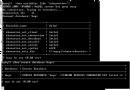
mysql> SELECT * from tcount_tbl;
+-----------------+----------------+
| tutorial_author | tutorial_count |
+-----------------+----------------+
| mahran     |       20 |
| mahnaz     |      NULL |
| Jen       |      NULL |
| Gill      |       20 |
+-----------------+----------------+
4 rows in set (0.00 sec)

mysql>
可以看到=和!=不使用NULL值,如下所示:
mysql> SELECT * FROM tcount_tbl WHERE tutorial_count = NULL;
Empty set (0.00 sec)
mysql> SELECT * FROM tcount_tbl WHERE tutorial_count != NULL;
Empty set (0.01 sec)
要找到,其中tutorial_count列是或不是NULL的記錄,查詢應該這樣寫:
mysql> SELECT * FROM tcount_tbl
  -> WHERE tutorial_count IS NULL;
+-----------------+----------------+
| tutorial_author | tutorial_count |
+-----------------+----------------+
| mahnaz     |      NULL |
| Jen       |      NULL |
+-----------------+----------------+
2 rows in set (0.00 sec)
mysql> SELECT * from tcount_tbl
  -> WHERE tutorial_count IS NOT NULL;
+-----------------+----------------+
| tutorial_author | tutorial_count |
+-----------------+----------------+
| mahran     |       20 |
| Gill      |       20 |
+-----------------+----------------+
2 rows in set (0.00 sec)
PHP腳本處理NULL值:
可以使用IF ... ELSE條件准備的基礎上操作NULL值的查詢。
例子:
下面的示例tutorial_count從外部,然後它與可在表中的值進行比較。
<?php
$dbhost = 'localhost:3036';
$dbuser = 'root';
$dbpass = 'rootpassword';
$conn = mysql_connect($dbhost, $dbuser, $dbpass);
if(! $conn )
{
 die('Could not connect: ' . mysql_error());
}
if( isset($tutorial_count ))
{
  $sql = 'SELECT tutorial_author, tutorial_count
      FROM tcount_tbl
      WHERE tutorial_count = $tutorial_count';
}
else
{
  $sql = 'SELECT tutorial_author, tutorial_count
      FROM tcount_tbl
      WHERE tutorial_count IS $tutorial_count';
}

mysql_select_db('TUTORIALS');
$retval = mysql_query( $sql, $conn );
if(! $retval )
{
 die('Could not get data: ' . mysql_error());
}
while($row = mysql_fetch_array($retval, MYSQL_ASSOC))
{
  echo "Author:{$row['tutorial_author']} <br> ".
     "Count: {$row['tutorial_count']} <br> ".
     "--------------------------------<br>";
}
echo "Fetched data successfully\n";
mysql_close($conn);
?>