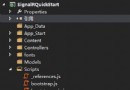
新建一般處理程序
public class Temp
{
  public int Index { get; set; }
  public string Description { get; set; }
  public string ImagePath { get; set; }
  public DateTime MyDate { get; set; }
}

//數據源
 List<Temp> listTemp = new List<Temp>()
 {
   new Temp(){ Index=1,ImagePath="Desert.jpg", Description="圖片1",MyDate=DateTime.Now},
   new Temp(){Index=2,ImagePath="Chrysanthemum.jpg", Description="圖片2",MyDate=DateTime.Now},
   new Temp(){Index=3,ImagePath="Penguins.jpg", Description="圖片3",MyDate=DateTime.Now},
   new Temp(){Index=4,ImagePath="Jellyfish.jpg", Description="圖片4",MyDate=DateTime.Now},
   new Temp(){Index=5,ImagePath="Tulips.jpg", Description="圖片5",MyDate=DateTime.Now}
 };

 public void ProcessRequest(HttpContext context)
 {
   string index = context.Request["Index"];
   string jsonStr = string.Empty;
   foreach (var item in listTemp)
   {
     if (item.Index.ToString() == index)
     {
       JavaScriptSerializer serializer = new JavaScriptSerializer();
       jsonStr = serializer.Serialize(item); //序列化為json格式
       break;
     }
   }

   context.Response.Write(jsonStr);
 }
前台JS代碼
$.getJSON("imageChange.ashx", { Index: i - 1 }, function (result) {
  $("#<%=lblDescription.ClientID %>").text(result.Description);
$("#<%=Image1.ClientID %>").attr("src", path + result.ImagePath.substr(result.ImagePath.lastIndexOf('/') + 1));

  var d = eval("new " + result.MyDate.replace(/\//g, ""));
          $("#<%=lblDate.ClientID %>").text(Todate(d.ToLocalTime().toString()));
});
前台JS代碼
//ToLocalTime()將UTC格式數據轉換成標准日期格式
//注意JavaScriptSerializer會將日期序列號為自1970年1月1號的刻度值,所以js獲取的時間值需做一些處理轉換成標准日期格式
//詳見http://msdn.microsoft.com/zh-cn/library/system.web.script.serialization.javascriptserializer.aspx
以上就是本文的全部內容,希望本文的內容對大家的學習或者工作能帶來一定的幫助,如果有疑問大家可以留言交流,同時也希望多多支持腳本之家!