導入Lucene.NET 開發包
Lucene 是apache軟件基金會一個開放源代碼的全文檢索引擎工具包,是一個全文檢索引擎的架構,提供了完整的查詢引擎和索引引擎,部分文本分析引擎。Lucene的目的是為軟件開發人員提供一個簡單易用的工具包,以方便的在目標系統中實現全文檢索的功能,或者是以此為基礎建立起完整的全文檢索引擎。Lucene.Net 是 .NET 版的Lucene。
你可以在這裡下載到最新的Lucene.NET
創建索引、更新索引、刪除索引
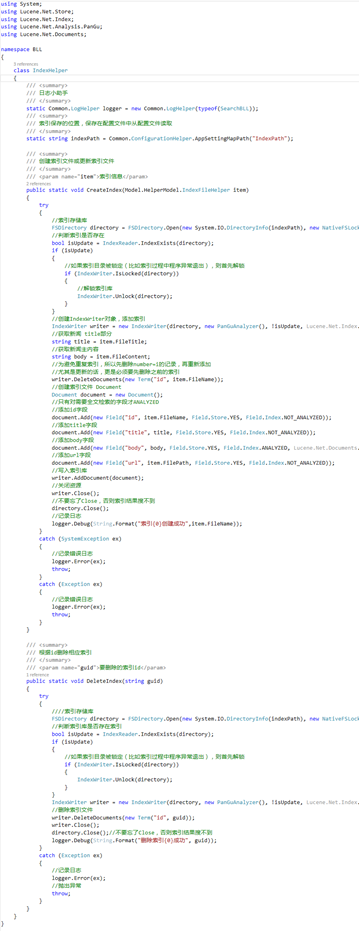
搜索,根據索引查找
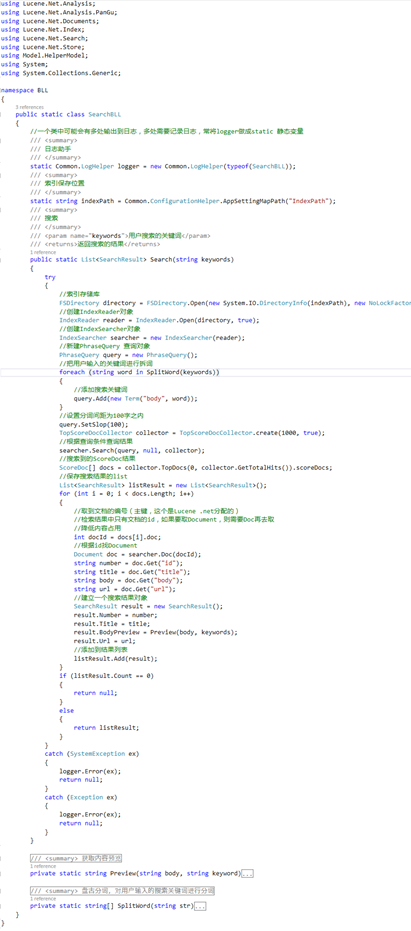
IndexHelper 添加、更新、刪除索引
using System;
using Lucene.Net.Store;
using Lucene.Net.Index;
using Lucene.Net.Analysis.PanGu;
using Lucene.Net.Documents;

namespace BLL
{
  class IndexHelper
  {
    /// <summary>
    /// 日志小助手
    /// </summary>
    static Common.LogHelper logger = new Common.LogHelper(typeof(SearchBLL));
    /// <summary>
    /// 索引保存的位置,保存在配置文件中從配置文件讀取
    /// </summary>
    static string indexPath = Common.ConfigurationHelper.AppSettingMapPath("IndexPath");

    /// <summary>
    /// 創建索引文件或更新索引文件
    /// </summary>
    /// <param name="item">索引信息</param>
    public static void CreateIndex(Model.HelperModel.IndexFileHelper item)
    {
      try
      {
        //索引存儲庫
        FSDirectory directory = FSDirectory.Open(new System.IO.DirectoryInfo(indexPath), new NativeFSLockFactory());
        //判斷索引是否存在
        bool isUpdate = IndexReader.IndexExists(directory);
        if (isUpdate)
        {
          //如果索引目錄被鎖定(比如索引過程中程序異常退出),則首先解鎖
          if (IndexWriter.IsLocked(directory))
          {
            //解鎖索引庫
            IndexWriter.Unlock(directory);
          }
        }
        //創建IndexWriter對象,添加索引
        IndexWriter writer = new IndexWriter(directory, new PanGuAnalyzer(), !isUpdate, Lucene.Net.Index.IndexWriter.MaxFieldLength.UNLIMITED);
        //獲取新聞 title部分
        string title = item.FileTitle;
        //獲取新聞主內容
        string body = item.FileContent;
        //為避免重復索引,所以先刪除number=i的記錄,再重新添加
        //尤其是更新的話,更是必須要先刪除之前的索引
        writer.DeleteDocuments(new Term("id", item.FileName));
        //創建索引文件 Document
        Document document = new Document();
        //只有對需要全文檢索的字段才ANALYZED
        //添加id字段
        document.Add(new Field("id", item.FileName, Field.Store.YES, Field.Index.NOT_ANALYZED));
        //添加title字段
        document.Add(new Field("title", title, Field.Store.YES, Field.Index.NOT_ANALYZED));
        //添加body字段
        document.Add(new Field("body", body, Field.Store.YES, Field.Index.ANALYZED, Lucene.Net.Documents.Field.TermVector.WITH_POSITIONS_OFFSETS));
        //添加url字段
        document.Add(new Field("url", item.FilePath, Field.Store.YES, Field.Index.NOT_ANALYZED));
        //寫入索引庫
        writer.AddDocument(document);
        //關閉資源
        writer.Close();
        //不要忘了Close,否則索引結果搜不到
        directory.Close();
        //記錄日志
        logger.Debug(String.Format("索引{0}創建成功",item.FileName));
      }
      catch (SystemException ex)
      {
        //記錄錯誤日志
        logger.Error(ex);
        throw;
      }
      catch (Exception ex)
      {
        //記錄錯誤日志
        logger.Error(ex);
        throw;
      }
    }

    /// <summary>
    /// 根據id刪除相應索引
    /// </summary>
    /// <param name="guid">要刪除的索引id</param>
    public static void DeleteIndex(string guid)
    {
      try
      {
        ////索引存儲庫
        FSDirectory directory = FSDirectory.Open(new System.IO.DirectoryInfo(indexPath), new NativeFSLockFactory());
        //判斷索引庫是否存在索引
        bool isUpdate = IndexReader.IndexExists(directory);
        if (isUpdate)
        {
          //如果索引目錄被鎖定(比如索引過程中程序異常退出),則首先解鎖
          if (IndexWriter.IsLocked(directory))
          {
            IndexWriter.Unlock(directory);
          }
        }
        IndexWriter writer = new IndexWriter(directory, new PanGuAnalyzer(), !isUpdate, Lucene.Net.Index.IndexWriter.MaxFieldLength.UNLIMITED);
        //刪除索引文件
        writer.DeleteDocuments(new Term("id", guid));
        writer.Close();
        directory.Close();//不要忘了Close,否則索引結果搜不到
        logger.Debug(String.Format("刪除索引{0}成功", guid));
      }
      catch (Exception ex)
      {
        //記錄日志
        logger.Error(ex);
        //拋出異常
        throw;
      }
    }
  }
}
Search 通過查找索引實現搜索
using Lucene.Net.Analysis;
using Lucene.Net.Analysis.PanGu;
using Lucene.Net.Documents;
using Lucene.Net.Index;
using Lucene.Net.Search;
using Lucene.Net.Store;
using Model.HelperModel;
using System;
using System.Collections.Generic;

namespace BLL
{
  public static class SearchBLL
  {
    //一個類中可能會有多處輸出到日志,多處需要記錄日志,常將logger做成static 靜態變量
    /// <summary>
    /// 日志助手
    /// </summary>
    static Common.LogHelper logger = new Common.LogHelper(typeof(SearchBLL));
    /// <summary>
    /// 索引保存位置
    /// </summary>
    static string indexPath = Common.ConfigurationHelper.AppSettingMapPath("IndexPath");
    /// <summary>
    /// 搜索
    /// </summary>
    /// <param name="keywords">用戶搜索的關鍵詞</param>
    /// <returns>返回搜索的結果</returns>
    public static List<SearchResult> Search(string keywords)
    {
      try
      {
        //索引存儲庫
        FSDirectory directory = FSDirectory.Open(new System.IO.DirectoryInfo(indexPath), new NoLockFactory());
        //創建IndexReader對象
        IndexReader reader = IndexReader.Open(directory, true);
        //創建IndexSearcher對象
        IndexSearcher searcher = new IndexSearcher(reader);
        //新建PhraseQuery 查詢對象
        PhraseQuery query = new PhraseQuery();
        //把用戶輸入的關鍵詞進行拆詞
        foreach (string word in SplitWord(keywords))
        {
          //添加搜索關鍵詞
          query.Add(new Term("body", word));
        }
        //設置分詞間距為100字之內
        query.SetSlop(100);
        TopScoreDocCollector collector = TopScoreDocCollector.create(1000, true);
        //根據查詢條件查詢結果
        searcher.Search(query, null, collector);
        //搜索到的ScoreDoc結果
        ScoreDoc[] docs = collector.TopDocs(0, collector.GetTotalHits()).scoreDocs;
        //保存搜索結果的list
        List<SearchResult> listResult = new List<SearchResult>();
        for (int i = 0; i < docs.Length; i++)
        {
          //取到文檔的編號(主鍵,這個是Lucene .net分配的)
          //檢索結果中只有文檔的id,如果要取Document,則需要Doc再去取
          //降低內容占用
          int docId = docs[i].doc;
          //根據id找Document
          Document doc = searcher.Doc(docId);
          string number = doc.Get("id");
          string title = doc.Get("title");
          string body = doc.Get("body");
          string url = doc.Get("url");
          //建立一個搜索結果對象
          SearchResult result = new SearchResult();
          result.Number = number;
          result.Title = title;
          result.BodyPreview = Preview(body, keywords);
          result.Url = url;
          //添加到結果列表
          listResult.Add(result);
        }
        if (listResult.Count == 0)
        {
          return null;
        }
        else
        {
          return listResult;
        }
      }
      catch (SystemException ex)
      {
        logger.Error(ex);
        return null;
      }
      catch (Exception ex)
      {
        logger.Error(ex);
        return null;
      }
    }

    /// <summary>
    /// 獲取內容預覽
    /// </summary>
    /// <param name="body">內容</param>
    /// <param name="keyword">關鍵詞</param>
    /// <returns></returns>
    private static string Preview(string body, string keyword)
    {
      //創建HTMLFormatter,參數為高亮單詞的前後綴
      PanGu.HighLight.SimpleHTMLFormatter simpleHTMLFormatter = new PanGu.HighLight.SimpleHTMLFormatter("<font color=\"red\">", "</font>");
      //創建 Highlighter ,輸入HTMLFormatter 和 盤古分詞對象Semgent
      PanGu.HighLight.Highlighter highlighter = new PanGu.HighLight.Highlighter(simpleHTMLFormatter, new PanGu.Segment());
      //設置每個摘要段的字符數
      highlighter.FragmentSize = 100;
      //獲取最匹配的摘要段
      string bodyPreview = highlighter.GetBestFragment(keyword, body);
      return bodyPreview;
    }

    /// <summary>
    /// 盤古分詞,對用戶輸入的搜索關鍵詞進行分詞
    /// </summary>
    /// <param name="str">用戶輸入的關鍵詞</param>
    /// <returns>分詞之後的結果組成的數組</returns>
    private static string[] SplitWord(string str)
    {
      List<string> list = new List<string>();
      Analyzer analyzer = new PanGuAnalyzer();
      TokenStream tokenStream = analyzer.TokenStream("", new System.IO.StringReader(str));
      Lucene.Net.Analysis.Token token = null;
      while ((token = tokenStream.Next()) != null)
      {
        list.Add(token.TermText());
      }
      return list.ToArray();
    }
  }
}
SearchResult 模型
namespace Model.HelperModel
{
  public class SearchResult
  {
    public string Number { get; set; }

    public string Title { get; set; }

    public string BodyPreview { get; set; }

    public string Url { get; set; }
  }
}
以上所述就是本文的全部內容了,希望大家能夠喜歡。