通過測試的系統:
Windows 8.1 64bit
Ubuntu Server 16.04 LTS 64bit
Fedora 24 64bit
CentOS 7.2 64bit

可以實現以下功能:
Open jpg, bmp, ico, png
Save jpg, bmp, ico, png
Resize image
Draw graphics with brush and pen
Open font and draw string
以上是官方給的資料。
NuGet引入包,不會的自己百度。
int codeW = 80;
int codeH = 30;
int fontSize = 16;
Random rnd = new Random();
//顏色列表,用於驗證碼、噪線、噪點
Color[] color = { Color.Black, Color.Red, Color.Blue, Color.Green, Color.Orange, Color.Brown, Color.Brown, Color.DarkBlue };
//字體列表,用於驗證碼
string[] font = { "Times New Roman" };
//驗證碼的字符集,去掉了一些容易混淆的字符

//寫入Session、驗證碼加密
//WebHelper.WriteSession("session_verifycode", Md5Helper.MD5(chkCode.ToLower(), 16));
//創建畫布
Bitmap bmp = new Bitmap(codeW, codeH);
Graphics g = Graphics.FromImage(bmp);
g.Clear(Color.White);
//畫噪線
for (int i = 0; i < 1; i++)
{
    int x1 = rnd.Next(codeW);
    int y1 = rnd.Next(codeH);
    int x2 = rnd.Next(codeW);
    int y2 = rnd.Next(codeH);
    Color clr = color[rnd.Next(color.Length)];
    g.DrawLine(new Pen(clr), x1, y1, x2, y2);
}
//畫驗證碼字符串
for (int i = 0; i < chkCode.Length; i++)
{
    string fnt = font[rnd.Next(font.Length)];
    Font ft = new Font(fnt, fontSize);
    Color clr = color[rnd.Next(color.Length)];
    g.DrawString(chkCode[i].ToString(), ft, new SolidBrush(clr), (float)i * 18, (float)0);
}
//將驗證碼圖片寫入內存流,並將其以 "image/Png" 格式輸出
MemoryStream ms = new MemoryStream();
try
{
    bmp.Save(ms, ImageFormat.Png);
    return ms.ToArray();
}
catch (Exception)
{
    return null;
}
finally
{
    g.Dispose();
    bmp.Dispose();
}
直接上圖,不會的看這裡http://www.cnblogs.com/niao/p/6057860.html
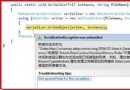
注意:驗證碼Windows下生成無壓力,我用的Ubuntu 14,需要安裝gdi包,運行日志中會有提示。
安裝方法:
Ubuntu 16.04:
apt-get install libgdiplus
cd /usr/lib
ln -s libgdiplus.so gdiplus.dll
Fedora 23:
dnf install libgdiplus
cd /usr/lib64/
ln -s libgdiplus.so.0 gdiplus.dll
CentOS 7:
yum install autoconf automake libtool
yum install freetype-devel fontconfig libXft-devel
yum install libjpeg-turbo-devel libpng-devel giflib-devel libtiff-devel libexif-devel
yum install glib2-devel cairo-devel
git clone https://github.com/mono/libgdiplus
cd libgdiplus
./autogen.sh
make
make install
cd /usr/lib64/
ln -s /usr/local/lib/libgdiplus.so gdiplus.dll
88..