One 、 Switch pages
If locating the element fails ( Throw out NoSuchElementException), Investigate web page source code , Find this element in a frame or iframe The child page under the marked element (html Mark ) in , Then you need to switch Frame.
Switching method I : Use frame or iframe Of the marked element id or name Attribute values as switching conditions
switch_to.frame() Switch the currently located subject to frame/iframe The embedded page of the form
switch_to.default_content() Jump back to the outermost page
 driver.switch_to.default_content()
driver.switch_to.frame("MAINPAGE")
driver.find_element(By.XPATH, "//*[@id='menuBottom']/div[5]/a/div").click()
Two 、 Switch windows
There are multiple windows on the page , however selenium The default focus is only on all elements in the main window , Do not switch windows , You cannot manipulate elements in a window other than the main window .
Each window has a unique handle value , Then we can complete the window switching operation through the handle value
Method :
1)、driver.current_window_handle ( Get the current handle value )
2)、driver.window_handles ( Get the current by driver Start all window handles )
3)、driver.switch_to.window(handle) —> Switch windows
from selenium import webdriver
driver = webdriver.Chrome()
driver.get('file:///D:/%E6%A1%8C%E9%9D%A2/page/%E6%B3%A8%E5%86%8C%E5%AE%9E%E4%BE%8B.html')
driver.find_element_by_id('ZCB').click()
# 1). Switch window operation ,driver.window_handles obtain driver All window handles started
handles = driver.window_handles
# 2). Switch window work
driver.switch_to.window(handles[-1])
driver.find_element_by_id('userB').send_keys('admin9')
driver.quit()
 Data cleaning: processing method of missing value and abnormal value -- operation of filling missing value with regression equation (with Python code)
Operation method of filling mi
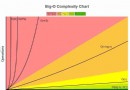 Day 21 impact Blue Bridge Cup Python data structure and algorithm 01 time complexity
It refers to the execution eff