本文實例講述了Zend Framework教程之連接數據庫並執行增刪查的方法。分享給大家供大家參考,具體如下:
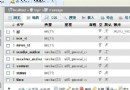
我們先要在數據庫裡建立一個叫message的表,它有三個字段.分別為id,title,content.其中id為主鍵.
現在我們開始第一步:在application文件夾下面加入一個config文件夾,並在這裡面增加一個config.ini文件..這裡面是配置數據庫基本信息.
如下代碼所示:
[general]
db.adapter=PDO_MYSQL //請開啟PDO擴展
db.config.host=localhost //Mysql主機
db.config.username=root //用戶名
db.config.password= //密碼,我這裡為空
db.config.dbname=zendoophp //數據庫名
第二步:在application下的models文件夾下增加一個Message.php文件..這裡命名是以數據表名稱相同.
<?php
class Message extends Zend_Db_Table {
protected $_name ="message";
protected $_primary = 'id';
}
第三步:接下來..我們要在我們的入口文件index.php裡加入下面代碼如下:
//配置數據庫參數,並連接數據庫
$config=new Zend_Config_Ini('./application/config/config.ini',null, true);
Zend_Registry::set('config',$config);
$dbAdapter=Zend_Db::factory($config->general->db->adapter,
$config->general->db->config->toArray());
$dbAdapter->query('SET NAMES UTF8');
Zend_Db_Table::setDefaultAdapter($dbAdapter);
Zend_Registry::set('dbAdapter',$dbAdapter);
第四步:我們就要對我們的IndexController.php控制器進行操作了..分別有四個方法.它們的作用就是增加數據,修改,
刪除數據.程序如下..(我在程序員都有注解.這裡不就多說!):
class IndexController extends Zend_Controller_Action
{
 function init()
 {
  $this->registry = Zend_Registry::getInstance();
  $this->view = $this->registry['view'];
  $this->view->baseUrl = $this->_request->getBaseUrl();
 }
 function indexAction()
 {
  $message=new message();//實例化數據庫類
  //這裡給變量賦值,在index.phtml模板裡顯示
  $this->view->bodyTitle = 'Hello World!';
  //取到所有數據.二維數組
  $this->view->messages=$message->fetchAll()->toArray();
  //print_r( $this->view->messages);
  echo $this->view->render('index.phtml');//顯示模版
 }
 function addAction(){
 //如果是POST過來的值.就增加.否則就顯示增加頁面
 if(strtolower($_SERVER['REQUEST_METHOD'])=='post'){
 //過濾一些數據.不過這裡還有檢測一些動作沒有做..
 //請大家加了..我就不多寫那麼多了.時間關系..
 Zend_Loader::loadClass('Zend_Filter_StripTags');
 $filter=new Zend_Filter_StripTags();
 $content=$filter->filter(($this->_request->getPost('content')));
 $title=$filter->filter(($this->_request->getPost('title')));
 $message=new Message();
 $data=array(
 'content'=>$content,
 'title'=>$title
 );
 $message->insert($data);
 unset($data);
 echo '您增加數據成功!請您
 $this->view->baseUrl.'/index/index/">返回';
  }else{
   echo $this->view->render('add.phtml');//顯示增加模版
  }
 }
 public function editAction(){
 $message=new Message();
 $db = $message->getAdapter();
 Zend_Loader::loadClass('Zend_Filter_StripTags');
 $filter=new Zend_Filter_StripTags();
 //同上面addAction
 if(strtolower($_SERVER['REQUEST_METHOD'])=='post'){
 $content=$filter->filter(($this->_request->getPost('content')));
 $title=$filter->filter(($this->_request->getPost('title')));
 $id=$filter->filter(($this->_request->getPost('id')));
  $set=array(
  'content'=>$content,
  'title'=>$title
 );
 $where = $db->quoteInto('id = ?', $id);
 //更新表數據
 $message->update($set, $where)
 unset($set);  echo '您修改數據成功!請您
 $this->view->baseUrl.'/index/index/">返回';
 }else{
  $id=$filter->filter(($this->_request->getParam('id')));
 $this->view->messages=$message->fetchAll('id='.$id)->toArray();
  echo $this->view->render('edit.phtml');//顯示編輯模版
   }
 }
public function delAction()
{ $message=new Message();
 //能過ID刪除數據.這裡有一些動作沒有做.比如說沒有ID頁面要去哪裡.
  //.我只是給大家一個思想..所以不會那麼完整
 $id = (int)$this->_request->getParam('id');
 if ($id > 0) {
   $where = 'id = ' . $id;
   $message->delete($where);
 }
 echo '您刪除數據成功!請您
 $this->view->baseUrl.'/index/index/">返回';
 }
}
第五步:就是增加對應的View.也就是網頁模板..分別是add.phtml,edit.phtml,index.phtml.這在程序裡也有注解.請大家下載文件運行查看.
完整實例代碼點擊此處本站下載。
更多關於zend相關內容感興趣的讀者可查看本站專題:《Zend FrameWork框架入門教程》、《php優秀開發框架總結》、《Yii框架入門及常用技巧總結》、《ThinkPHP入門教程》、《php面向對象程序設計入門教程》、《php+mysql數據庫操作入門教程》及《php常見數據庫操作技巧匯總》
希望本文所述對大家基於Zend Framework框架的PHP程序設計有所幫助。