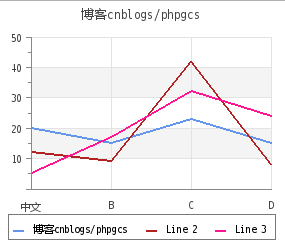
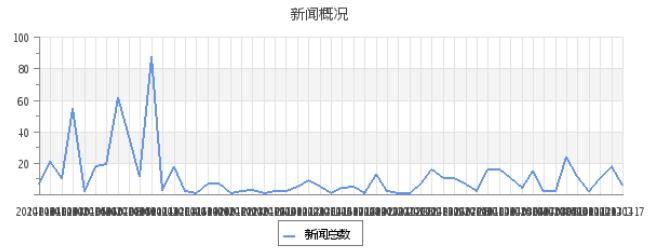
php jpgraph庫非常強大,可以在後台生成圖片
後台生成在需要導出圖表型報告的時候非常有用,當然,前端的可視化還是要用highcharts/echarts/anycharts等類庫
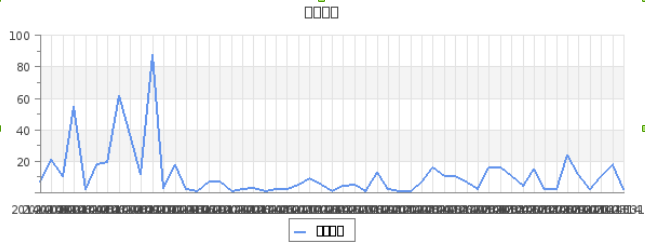
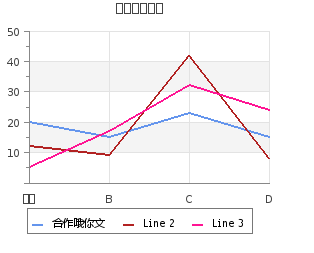
比較麻煩的是中文亂碼問題,有3個地方亂碼:
先說明下我的環境和版本:
  //jpgraph_legend.inc.php
  3 class Legend {
  2     public $txtcol=array();
  1     //public $font_family=FF_DEFAULT,$font_style=FS_NORMAL,$font_size=8; // old. 12
  0     public $font_family=FF_SIMSUN,$font_style=FS_NORMAL,$font_size=8; // old. 12
記得下載一份 simsun.ttc 放到 /usr/share/fonts/truetype
   //jpgraph_ttf.inc.php
  9         elseif( $aFF === FF_SIMSUN ) {
  8             // Do Chinese conversion
  7             /*
  6             if( $this->g2312 == null ) {
  5                 include_once 'jpgraph_gb2312.php' ;
  4                 $this->g2312 = new GB2312toUTF8();
  3             }
  2             return $this->g2312->gb2utf8($aTxt);
  1              */
  0             return $aTxt;

  1         }
原創文章,轉載請注明:http://www.cnblogs.com/phpgcs/
上面的解決方法,我是參考了:
http://blog.csdn.net/yiping1980/article/details/6023144
然後後面的2個我認為就是找到title/stickLabels源碼的地方,將 FFDEFAULT 改為 FFSIMSUN 即可
後來證明果然是這樣,而且方便的是 這2個家伙都在 jpgraph.php 文件中
直接
:%s/FF_DEFAULT/FF_SIMSUN/g
就搞定了
  2         $this->title = new Text();
  1         $this->title->ParagraphAlign('center');
  0         //$this->title->SetFont(FF_DEFAULT,FS_NORMAL); //FF_FONT2, FS_BOLD

  1         $this->title->SetFont(FF_SIMSUN,FS_NORMAL); //FF_FONT2, FS_BOLD
  5 class AxisPrototype {
  4     public $scale=null;
  3     public $img=null;
  2     public $hide=false,$hide_labels=false;
  1     public $title=null;
  0     public $font_family=FF_DEFAULT,$font_style=FS_NORMAL,$font_size=8,$label_angle=0;
還有個地方也有FF_DEFAULT,
  5 class DisplayValue {
  4     public $margin=5;
  3     public $show=false;
  2     public $valign='',$halign='center';
  1     public $format='%.1f',$negformat='';
  0     private $ff=FF_DEFAULT,$fs=FS_NORMAL,$fsize=8;
原創文章,轉載請注明:http://www.cnblogs.com/phpgcs/