1,利用GD庫函數生成圖片,並在圖片上寫指定字符
imagecreatetruecolor 新建一個真彩色圖像
imagecolorallocate 為一幅圖像分配顏色(調色板)
imagestring 繪制字符
imageline 繪制線條
imagesetpixel 打像素點
2,輸出圖片
imagejpeg($img);
PHP實現過程,代碼中注釋詳細,這裡不做過多解釋
verify.php
<?

 = ("GBK", "utf-8", "芸芸眾生綠水青山名勝古跡敞開心胸便會雲蒸霞蔚快樂將永遠伴隨著你"(!() || !mb_check_encoding(,"utf-8"("不是字符串或者不是utf-8"
 = mb_strlen(,"UTF-8"
 = ( =0; <; ++[] = mb_substr(, ,1,"UTF-8" = ""
(=0; <4; ++ ((0, 1 0:
.=[(0, -1 1:
.=((0,15["check"] =
 = imagecreatetruecolor(100, 30
 = imagecolorallocate(, 0, 0, 0
 = imagecolorallocate(, 255,255,255
imagettftext(, 13, (2, 9), 20 ,20, , "MSYH.TTF",["check"] = (=0; <3; ++
imageline(, 0, (0, 20), (70,100), (0, 20),  = imagecolorallocate(, (0, 255),(0, 255),(0, 255
(=0; <200; ++, (1, 100), (1, 30),
("Content-type: image/jpeg"
imagejpeg(?>
<?
(@['check'(["check"] == ["check"" 恭喜你!驗證碼輸入正確!"" 不好意思驗證碼輸入錯誤"?>
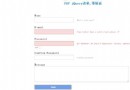
<form action="" method="post">
<img src="verify.php"/> </br>
<input type="text" name="check"></br>
<input type="submit" value="submit"></br>
</form>