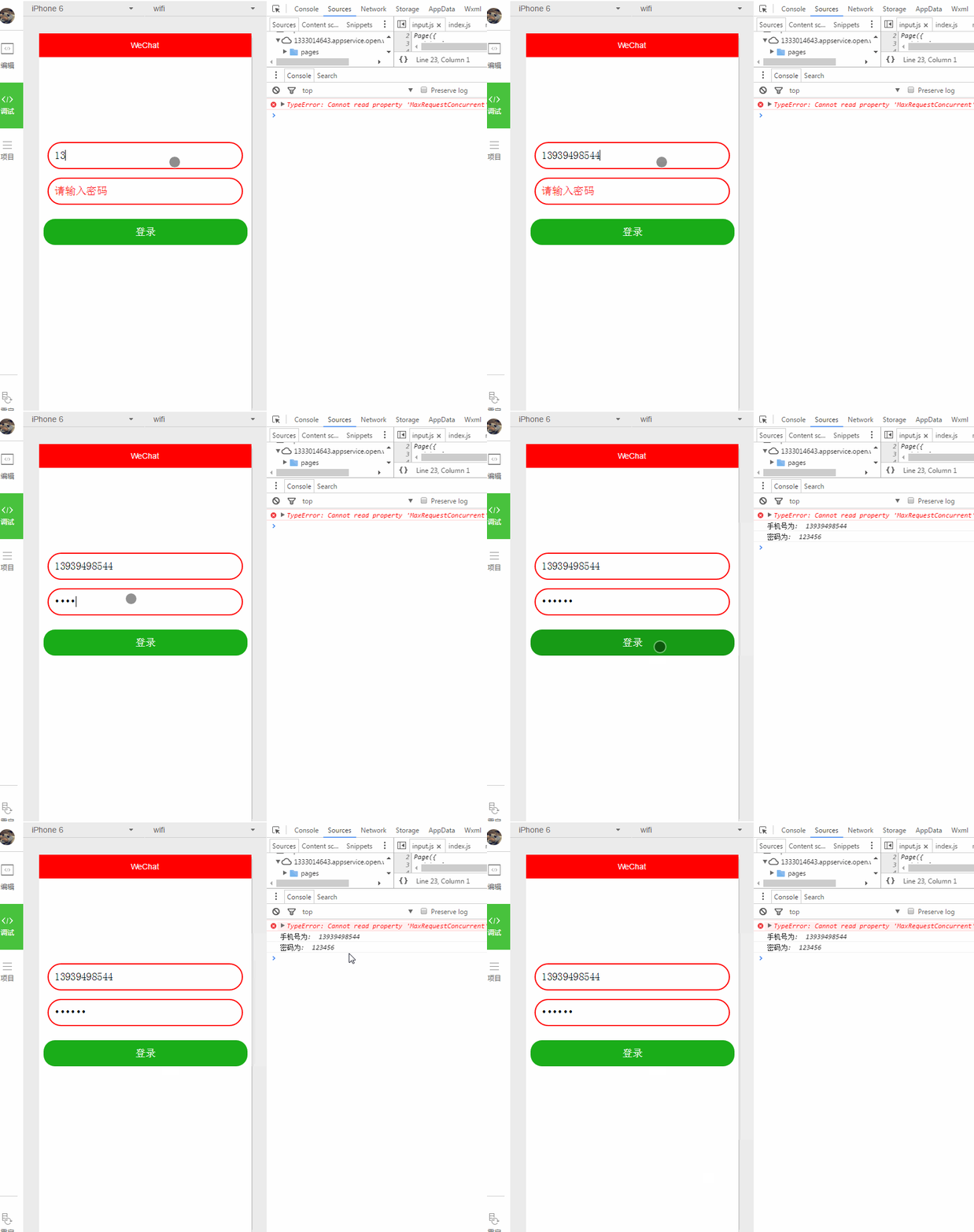
input輸入框使用的頻率也是比較高的。。。樣式的話自己外面包裹個view自己定義。input屬性也不是很多,有需要自己慢慢測,嘗試
主要屬性:
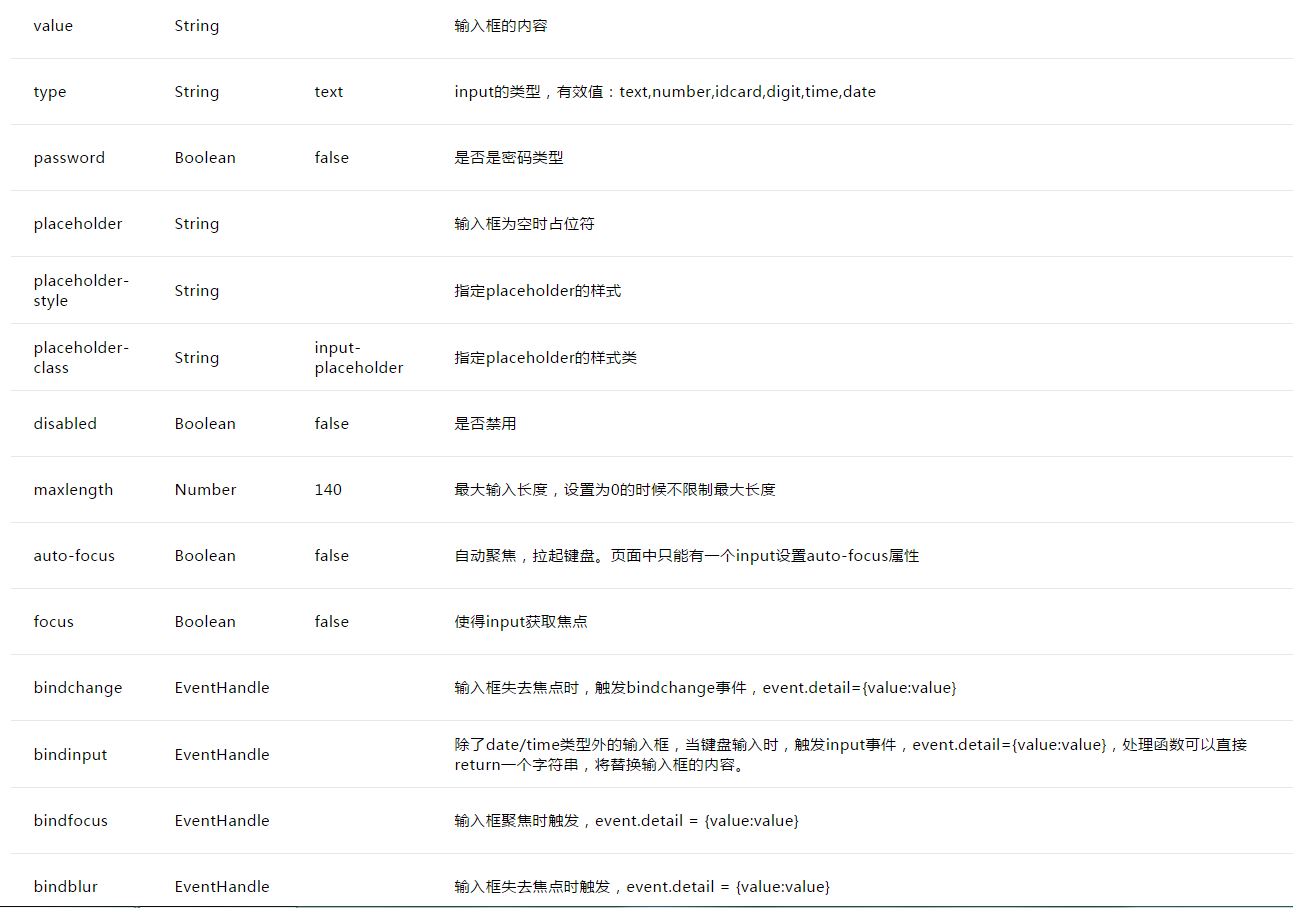
wxml
<!--style的優先級比class高會覆蓋和class相同屬性-->
<view class="inputView" style="margin-top: 40% ">
<input class="input" type="number" placeholder="請輸入賬號" placeholder-style="color: red" bindinput="listenerPhoneInput" />
</view>

<view class="inputView">
<input class="input" password="true" placeholder="請輸入密碼" placeholder-style="color: red" bindinput="listenerPasswordInput"/>
</view>


<button style="margin-left: 15rpx; margin-right: 15rpx; margin-top: 50rpx; border-radius: 40rpx" type="primary" bindtap="listenerLogin">登錄</button>
js
Page({
 /**
 * 初始化數據
 */
 data:{
 phone: '',
 password: '',
 },

 /**
 * 監聽手機號輸入
 */
 listenerPhoneInput: function(e) {
  this.data.phone = e.detail.value;

 },

 /**
 * 監聽密碼輸入
 */
 listenerPasswordInput: function(e) {
  this.data.password = e.detail.value;
 },

 /**
 * 監聽登錄按鈕
 */
 listenerLogin: function() {
  //打印收入賬號和密碼
 console.log('手機號為: ', this.data.phone);
 console.log('密碼為: ', this.data.password);
 },

 onLoad:function(options){
 // 頁面初始化 options為頁面跳轉所帶來的參數
 },
 onReady:function(){
 // 頁面渲染完成
 },
 onShow:function(){
 // 頁面顯示
 },
 onHide:function(){
 // 頁面隱藏
 },
 onUnload:function(){
 // 頁面關閉
 }
})
wxss
.input{
 padding-left: 10px;
 height: 44px;
}

.inputView{
 border: 2px solid red;
 border-radius: 40px;
 margin-left: 15px;
 margin-right: 15px;
 margin-top: 15px;
}
相關文章:
hello WeApp icon組件
Window text組件 switch組件
tabBar底部導航 progress組件 action-sheet
應用生命周期 button組件 modal組件
頁面生命周期 checkbox組件 toast組件
模塊化詳 form組件詳 loading 組件
數據綁定 input 組件 navigator 組件
View組件 picker組件 audio 組件
scroll-view組件 radio組件 video組件
swiper組件 slider組件 Image組件