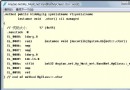
最近需要做個論壇,其中用到了分頁,如果把整表的數據都查詢出來未免小題大做,而且還影響速度 ,所以百度了並私有化了一個分頁存儲過程,實現了調用。
好了,廢話不多說,貼出代碼:
/****
使用幫助
首先查詢表總行數,再查詢分頁數據
查詢行數傳入參數:@doCount,@tblName
查詢分頁傳入參數:@tblName,@PageSize,@PageIndex,@fldName
*以上不帶查詢條件的查詢
帶條件的加參數:@strWhere
*分頁查詢可以使用排序
參數:@OrderType
****/

create PROCEDURE Sp_Conn_Sort
(
@tblName   varchar(255),       -- 表名

@strGetFields varchar(1000) = '*',  -- 需要返回的列

@fldName varchar(255)='',      -- 排序的字段名

@PageSize   int = 40,          -- 頁尺寸

@PageIndex  int = 1,           -- 頁碼

@doCount  bit = 0,   -- 返回記錄總數, 非 0 值則返回

@OrderType bit = 0,  -- 設置排序類型, 非 0 值則降序
@strWhere  varchar(1500)=''  -- 查詢條件 (注意: 不要加 where)
)
AS

declare @strSQL   varchar(5000)       -- 主語句

declare @strTmp   varchar(110)        -- 臨時變量

declare @strOrder varchar(400)        -- 排序類型


if @doCount != 0

  begin

    if @strWhere !=''

    set @strSQL = 'select count(*) as Total from ' + @tblName + ' where '+@strWhere

    else

    set @strSQL = 'select count(*) as Total from ' + @tblName

end

--以上代碼的意思是如果@doCount傳遞過來的不是0,就執行總數統計。以下的所有代碼都是@doCount為

0的情況

else

begin


if @OrderType != 0

begin

    set @strTmp = '<(select min'

set @strOrder = ' order by ' + @fldName +' desc'

--如果@OrderType不是0,就執行降序,這句很重要!

end

else

begin

    set @strTmp = '>(select max'

    set @strOrder = ' order by ' + @fldName +' asc'

end


if @PageIndex = 1

begin

    if @strWhere != ''

    set @strSQL = 'select top ' + str(@PageSize) +' '+@strGetFields+ '  from ' + @tblName +

' where ' + @strWhere + ' ' + @strOrder

     else

     set @strSQL = 'select top ' + str(@PageSize) +' '+@strGetFields+ '  from '+ @tblName +

' '+ @strOrder

--如果是第一頁就執行以上代碼,這樣會加快執行速度

end

else

begin

--以下代碼賦予了@strSQL以真正執行的SQL代碼

set @strSQL = 'select top ' + str(@PageSize) +' '+@strGetFields+ '  from '

    + @tblName + ' where ' + @fldName + '' + @strTmp + '('+ @fldName + ') from (select top

' + str((@PageIndex-1)*@PageSize) + ' '+ @fldName + ' from ' + @tblName + '' + @strOrder +

') as tblTmp)'+ @strOrder


if @strWhere != ''

    set @strSQL = 'select top ' + str(@PageSize) +' '+@strGetFields+ '  from '

        + @tblName + ' where ' + @fldName + '' + @strTmp + '('

        + @fldName + ') from (select top ' + str((@PageIndex-1)*@PageSize) + ' '

        + @fldName + ' from ' + @tblName + ' where ' + @strWhere + ' '

        + @strOrder + ') as tblTmp) and ' + @strWhere + ' ' + @strOrder

end

end

exec (@strSQL)
使用方法我寫在注釋裡面了,這個存儲過程寫的確實很不錯。
下面是後台代碼,這個部分寫出了怎麼樣調用存儲過程,以及構建翻頁按鈕,這部分的改動最大,實 現了我想要的效果。
int ToatalCountRecord;//總記錄數
    int PageItem = 10;//每頁顯示的條數
    int CurrentPage = 1;//當前頁數
    protected void Page_Load(object sender, EventArgs e)
    {

        if (!this.Page.IsPostBack)
        {
            if (Request.QueryString["page"] != null)
            {
                if (!Int32.TryParse(Request.QueryString["page"].ToString(), out CurrentPage))
                {
                    Response.Write("請輸入分頁參數!");
                    Response.End();
                    return;
                }
            }

            this.BuidGrid();
        }
    }

    private void BuidGrid()
    {
        SqlConnection con = new SqlConnection(System.Configuration.ConfigurationManager.AppSettings["constr"]);
        con.Open();
        SqlCommand cmd = new SqlCommand("Sp_Conn_Sort", con);
        SqlParameter sp5 = new SqlParameter("@doCount", 1);
        SqlParameter sp6 = new SqlParameter("@tblName", "num_s");
        cmd.Parameters.Add(sp5);
        cmd.Parameters.Add(sp6);
        cmd.CommandType = CommandType.StoredProcedure;
        ToatalCountRecord = Convert.ToInt32(cmd.ExecuteScalar());
        SqlDataAdapter sda = new SqlDataAdapter("Sp_Conn_Sort", con);
        sda.SelectCommand.CommandType = CommandType.StoredProcedure;
        SqlParameter sp1 = new SqlParameter("@tblName", "num_s");
        SqlParameter sp2 = new SqlParameter("@PageSize", PageItem);
        SqlParameter sp3 = new SqlParameter("@PageIndex", CurrentPage);
        SqlParameter sp4 = new SqlParameter("@fldName", "id");
        sda.SelectCommand.Parameters.Add(sp1);
        sda.SelectCommand.Parameters.Add(sp2);
        sda.SelectCommand.Parameters.Add(sp3);
        sda.SelectCommand.Parameters.Add(sp4);
        DataSet ds = new DataSet();
        sda.Fill(ds);
        int s = ds.Tables[0].Rows.Count;
        GridView1.DataSource = ds;
        GridView1.DataBind();
        con.Close();
        BuildPages();
    }
    private void BuildPages()
    {
        int LeftStep = 3;//左偏移量
        int RightStep = 2;//右偏移量
        int LeftNum = 0;//左界限
        int RightNum = 0;//右界限
        string PageUrl = Request.FilePath;
        int PageCount = (int)Math.Ceiling((double)(ToatalCountRecord) / PageItem);
        if (CurrentPage < 5)
        {
            LeftNum = 1;
            RightStep = 6 - CurrentPage;
        }
        else
        {
            if (PageCount - CurrentPage < 2)
            {
                RightNum = PageCount;
                LeftStep = 5 - (PageCount - CurrentPage);
            }
            LeftNum = CurrentPage - LeftStep;
        }
        if (PageCount - CurrentPage > 1)
            RightNum = CurrentPage + RightStep;
        //上面代碼有點混亂,重讀需琢磨。
        StringBuilder stringbuilder = new StringBuilder();
        if (CurrentPage > 1)
        {
            string OutPut = " <a href='" + PageUrl + "?page=" + (CurrentPage - 1) + "'>" + "上一頁" + " </a>";
            stringbuilder.Append(OutPut);
        }
        for (int i = LeftNum; i <= RightNum; i++)
        {
            if (i == CurrentPage)
            {
                string OutPut = " <font color=red>" + " " + "[" + i.ToString() + "]" + "" + " </font>";
                stringbuilder.Append(OutPut);
            }
            else
            {
                string OutPut = " <a href='" + PageUrl + "?page=" + i.ToString() + "'>" + " " + "[" + i.ToString() + "]" + " " + " </a>";
                stringbuilder.Append(OutPut);
            }
        }
        if (PageCount - CurrentPage > 2)
        {
            string OutPut = " <a href='" + PageUrl + "?page=" + PageCount + "'>..." + PageCount + "</a>";
            stringbuilder.Append(OutPut);
        }
        if (CurrentPage < PageCount)
        {
            string OutPut = " <a href='" + PageUrl + "?page=" + (CurrentPage + 1) + "'>" + "下一頁" + " </a>";
            stringbuilder.Append(OutPut);
        } this.PageInfo.InnerHtml = stringbuilder.ToString();
    }
前台代碼:
<div>
    <div id="PageInfo" runat="server"></div>
        <asp:GridView ID="GridView1" runat="server" AutoGenerateColumns="False" DataKeyNames="id"
            Height="303px">
            <Columns>
                <asp:BoundField DataField="id" HeaderText="編號" />
               <asp:BoundField DataField="num" HeaderText="號碼" />
            </Columns>
        </asp:GridView>
    </div>
整篇文章寫給想我一樣的初學者的,沒有太多含金量,要說金也就是那存儲過程了吧,其實也很容易 看懂的,大家自己琢磨下吧,不懂的可以回復。
查看本欄目