This time python2.9.7 Version to demonstrate . os finger Operating System Abbreviation , It means operating system .os The module provides a very rich way to deal with files and directories , In short, it's python The programming module of the operating system , Can handle files and directories . Usually we do it by hand . Here's the thing to notice os Different methods of modules are for different operating systems : such as Windows,macos,linux There are some methods with slightly different usage .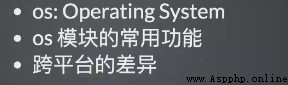
First of all to import Import . Here are some useful built-in functions :
help function : You can view the help document of the corresponding module ;
dir function : Show all the properties and methods of this module .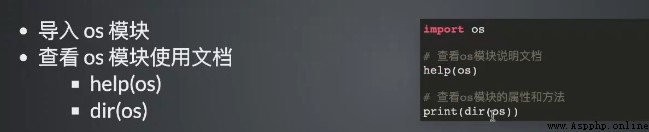
Here is a code demonstration !!!
# This library is built-in , You can import references directly
import os # Import os library
# help(os) # After execution , see os Library very detailed help documentation . You can see very detailed documentation , Such as : Method 、 name 、 Sub modules, etc
print(dir(os)) # Print out the corresponding properties and methods
Print dir
Here is a list of os Module common methods , Mainly 3 In terms of .
Through it, you can get the name of the system 、 Environment variables and so on .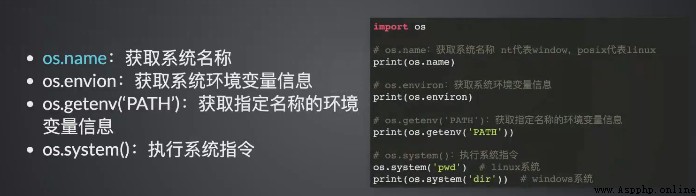
Code :
'''os Operating system related '''
# Get system name
print(os.name)
# Get system environment variable information
print(os.environ) # Dictionary format , All information
# Get the environment variable information of the specified name
print(os.getenv('PATH')) # Get path information of system environment variables
# Execute system instructions
os.system('pwd') # Windows yes GBK code , Chinese can be garbled , This command will report an error Can pass os The module manages a catalog file , For example, add a new directory 、 Delete 、 Modify the directory, etc .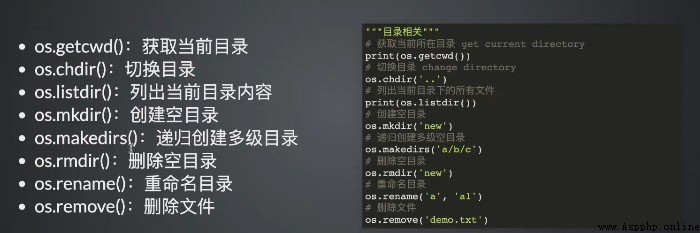
Code up ~~
import os
'''os Catalog related '''
# Get the current directory
print(os.getcwd())
# Toggle directory
os.chdir('..')
print(os.getcwd())
# List all files in the current directory
print(os.listdir())
# Create an empty directory
os.mkdir('demo01')
# Recursive create
os.makedirs('a/b/c')
# Delete empty directory , Non empty directory cannot be deleted .
os.rmdir('demo01')
# Duplicate a directory
os.rename('demo01','hello')
# Delete file
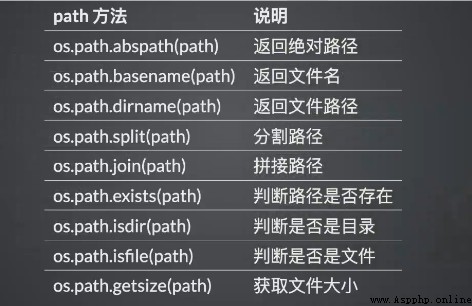
os.remove('world.txt') The path of the operating system , obtain 、 Division 、 The path of the combined file .