剛進新公司不久,今天在看到項目中用到了.tag文件。剛開始我還以為這個是第三方類似freemarker的模板技術。問了下項目組的其他人員,原來這是jsp2.0以來就有的JSP Fragment技術。以前做項目的時候從來沒有用這樣的方式,要公用就用用jsp中的include和jsp:include的方式。其實JSP Fragment也有include的作用,但是它更像第三方sitemesh技術,用於網頁布局和修飾,可以將網頁的內容和頁面的結構分離,從而達到頁面結構共享的目的。下面的例子來說明怎麼使用jsp fragment。
官方E文參考文檔http://docs.oracle.com/javaee/5/tutorial/doc/bnama.html
DEMO
1 首先在項目的WEB-INF/tags文件中,新建如下內容的tpl.tag文件
<%@ tag language="java" pageEncoding="UTF-8"%>
<%@ attribute name="title"%>
<%@ attribute name="tpl1" fragment="true" required="true"%>
<%@ attribute name="tpl2" fragment="true" required="true"%>
<%@ attribute name="tpl3" fragment="true" required="true"%>
<!DOCTYPE html>
    <html>
        <head>
            <meta charset="utf-8">
            <title>${title}</title>
            <style type="text/css">
               #div1,#div2,#div3{
                  width:90%;
                  margin:10px auto;
                  border:10px solid red;
               }
            </style>
        </head>
        <body>
            <h1>jsp2.0標簽文件</h1>
            <div id="div1">
                <jsp:invoke fragment="tpl1" />
            </div>
            <div id="div2">
                <jsp:invoke fragment="tpl2" />
            </div>
            <div id="div3">
                <jsp:invoke fragment="tpl3" />
            </div>
            <h2>jsp2.0 fragment技術</h2>
        </body>
    </html>
2 創建index.jsp 文件
<%@ page language="java" contentType="text/html; charset=UTF-8" pageEncoding="UTF-8"%>
<%@ taglib prefix="xjo" tagdir="/WEB-INF/tags"%>
<xjo:tpl title="jsp標簽文件的使用">
    <jsp:attribute name="tpl1">
        <h1>tpl1中的內容</h1>
    </jsp:attribute>
    <jsp:attribute name="tpl2">
        <h1>tpl2中的內容</h1>
    </jsp:attribute>
    <jsp:attribute name="tpl3">
        <h1>tpl3中的內容</h1>
    </jsp:attribute>
</xjo:tpl>
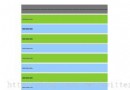
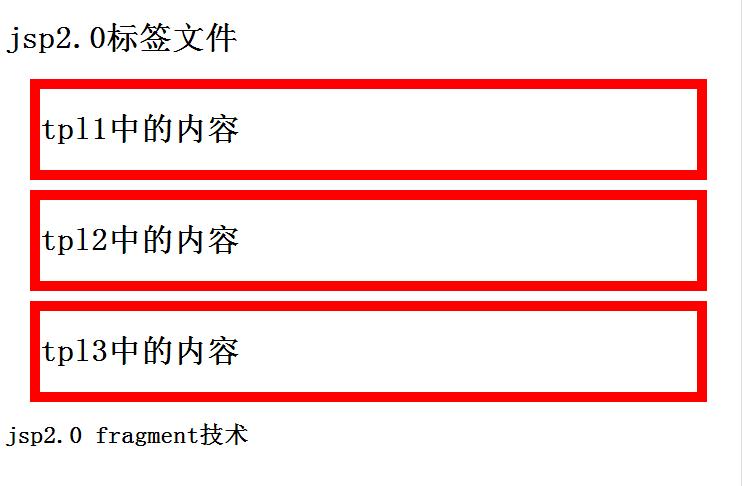
3 訪問index.jsp頁面,效果如下
本欄目