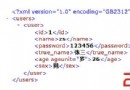
本文實例講述了jsp+jdbc實現連接數據庫的方法。分享給大家供大家參考。具體如下:
初次嘗試JSP+jdbc,按照書上的例子折騰了半天,就是連不上數據庫。於是在網上找材料,終於發現,老的jar包與新版數據庫直接不兼容。於是下了新的數據庫jdbc包,試了一下,果然搞定。這裡,把這個程序跟大家共享下,程序實現了網頁登錄界面上提取用戶名與密碼,然後與數據庫中用戶名密碼對應,從而決定程序是否通過登錄。
inc.jsp文件:
<%@ page import="java.sql.Connection"%>
<%@ page import="java.sql.DriverManager"%>
<%@ page import="java.sql.Statement"%>
<%@ page import="java.sql.ResultSet"%>
<%@ page import="java.sql.ResultSetMetaData"%>
<%
String drv = "com.mysql.jdbc.Driver";
String url = "jdbc:mysql://localhost:3306/demo";
String usr = "nari";
String pwd = "nari";
%>
welcome.jsp文件:
<html>
  <body>
  welcome<br>
  </body>
</html>
login_action.jsp文件:
<%@ include file="inc.jsp" %>
<%
String username = request.getParameter("username");
String password = request.getParameter("password");
if(username == null || password == null){
  response.sendRedirect("index.jsp");
}
boolean isValid = false;
String sql = "select * from user where username='"+username+"'and password='"+password+"'";
out.println("===>"+sql);
try{
  Class.forName(drv).newInstance();
  Connection conn = DriverManager.getConnection(url, usr,pwd);
  Statement stm = conn.createStatement();
  ResultSet rs = stm.executeQuery(sql);
  if(rs.next())isValid = true;
  rs.close();
  stm.close();
  conn.close();
}catch(Exception e){
  e.printStackTrace();
  out.println(e);
}
if(isValid){
  response.sendRedirect("welcome.jsp");
}else response.sendRedirect("index.jsp");
%>
<% /*
if(username.endsWith("a"))response.sendRedirect("welcome.jsp");
else response.sendRedirect("index.jsp");
*/%>
index.jsp文件:
<%@ page language="java" import="java.util.*" pageEncoding="UTF-8"%>
<%
String path = request.getContextPath();
String basePath = request.getScheme()+"://"+request.getServerName()+":"+request.getServerPort()+path+"/";
%>
<html>
  <head>
    <base href="<%=basePath %>"/>
    <title>My JSP 'login.jsp' starting page</title>
    <meta http-equiv="pragma" content="no-cache">
    <meta http-equiv="cache-control" content="no-cache">
    <meta http-equiv="description" content="This is my page">
  </head>
  <body>
  miThis is my JSP page.<br>
  </body>
</html>
<form name="form1" action="login_action.jsp" method="post">
<table width="200" border="1">
<tr>
  <td colspan="2">登錄窗口</td>
</tr>
<tr>
  <td>用戶名</td>
  <td><input type="text" name="username" size="10"/></td>
</tr>
<tr>
  <td>密碼</td>
  <td><input type ="password" name="password" size="10"/></td>
</tr>
<tr>
  <td colspan="2"><input type="submit" name="submit" value="登錄">
  <a href="register.jsp">注冊新用戶</a></td>
</tr>
</table>
</form>
程序使用tomcat進行發布,myeclipse進行編輯和調試
希望本文所述對大家的jsp程序設計有所幫助。