本文實例講述了php+ajax實現帶進度條的上傳圖片功能。分享給大家供大家參考,具體如下:
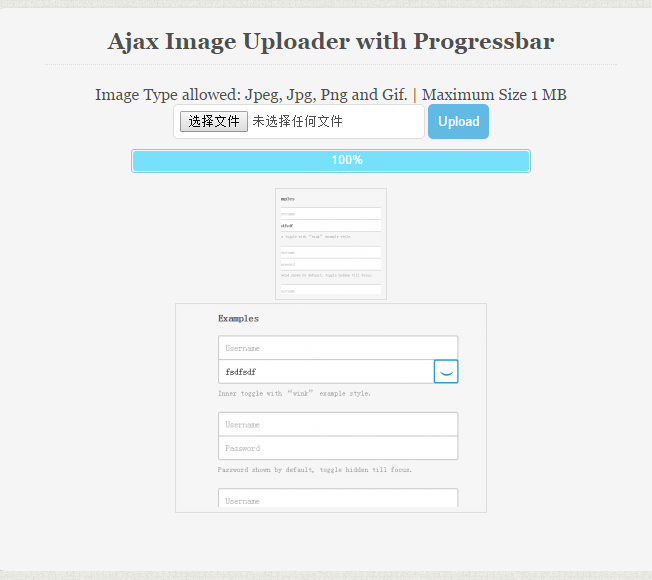
運行效果圖如下:
代碼如下:
<?php
if(isset($_FILES["FileInput"]) && $_FILES["FileInput"]["error"]== UPLOAD_ERR_OK)
{
  ############ Edit settings ##############
  $UploadDirectory  = 'F:/Websites/file_upload/uploads/'; //specify upload directory ends with / (slash)
  ##########################################
  /*
  Note : You will run into errors or blank page if "memory_limit" or "upload_max_filesize" is set to low in "php.ini".
  Open "php.ini" file, and search for "memory_limit" or "upload_max_filesize" limit
  and set them adequately, also check "post_max_size".
  */
  //check if this is an ajax request
  if (!isset($_SERVER['HTTP_X_REQUESTED_WITH'])){
    die();
  }
  //Is file size is less than allowed size.
  if ($_FILES["FileInput"]["size"] > 5242880) {
    die("File size is too big!");
  }
  //allowed file type Server side check
  switch(strtolower($_FILES['FileInput']['type']))
    {
      //allowed file types
      case 'image/png':
      case 'image/gif':
      case 'image/jpeg':
      case 'image/pjpeg':
      case 'text/plain':
      case 'text/html': //html file
      case 'application/x-zip-compressed':
      case 'application/pdf':
      case 'application/msword':
      case 'application/vnd.ms-excel':
      case 'video/mp4':
        break;
      default:
        die('Unsupported File!'); //output error
  }
  $File_Name     = strtolower($_FILES['FileInput']['name']);
  $File_Ext      = substr($File_Name, strrpos($File_Name, '.')); //get file extention
  $Random_Number   = rand(0, 9999999999); //Random number to be added to name.
  $NewFileName    = $Random_Number.$File_Ext; //new file name
  if(move_uploaded_file($_FILES['FileInput']['tmp_name'], $UploadDirectory.$NewFileName ))
    {
    die('Success! File Uploaded.');
  }else{
    die('error uploading File!');
  }
}
else
{
  die('Something wrong with upload! Is "upload_max_filesize" set correctly?');
}
完整實例代碼點擊此處本站下載。
更多關於PHP相關內容感興趣的讀者可查看本站專題:《php文件操作總結》、《PHP運算與運算符用法總結》、《PHP網絡編程技巧總結》、《PHP基本語法入門教程》、《php操作office文檔技巧總結(包括word,excel,access,ppt)》、《php日期與時間用法總結》、《php面向對象程序設計入門教程》、《php字符串(string)用法總結》、《php+mysql數據庫操作入門教程》及《php常見數據庫操作技巧匯總》
希望本文所述對大家PHP程序設計有所幫助。