 TTreeView講解 [11] - Images、ImageIndex、SelectedIndex、StateImages、StateIndex
本例效果圖:unit Unit1; interface uses Windows, Messages, SysUtils, Variants, Cla
 TTreeView講解 [12] - FullExpand、FullCollapse、GetNodeAt
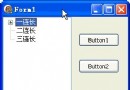
本例效果圖:unit Unit1; interface uses Windows, Messages, SysUtils, Variants, Cla
 TTreeView講解 [13] - 在 TTreeView 中顯示目錄結構(的函數)
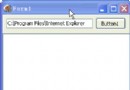
測試效果圖:unit Unit1; interface uses Windows, Messages, SysUtils, Variants, Cla
 TTreeView講解 [14] - StateIndex(狀態圖標)、OverlayIndex(疊加圖標)
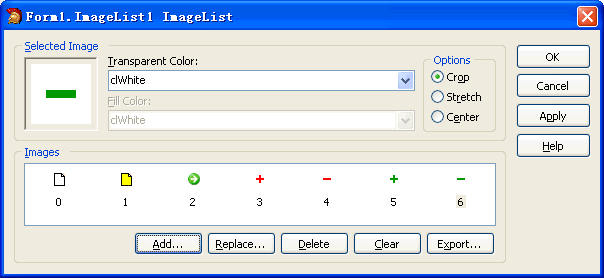
先給 ImageList1 添加圖標如下: 圖片看不清楚?請點擊這裡查看原圖(大圖)。 關於 OverlayIndex 的提示: 在給一個節點指定
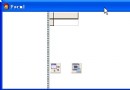 TTreeView講解 [15] - 連接數據庫
本例效果圖:unit Unit1; interface uses Windows, Messages, SysUtils, Variants, Cla
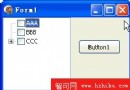 TTreeView講解 [16] - 給 TTreeView 添加復選框
本例效果圖:unit Unit1; interface uses Windows, Messages, SysUtils, Variants, Clas
 關於 Delphi 中流的使用(1) 用 TMemoryStream(內存流) 入門
前言:所謂流, 就是一段數據或是一塊內存; 在進行流操作時, 我們不必關心流中的數據到底是什麼; 只需要知道流的大小和當前的指針位置. 所以流只有兩個屬性:
關於 Delphi 中流的使用(2) 用 TFileStream(文件流) 讀寫
TStream 是一個抽象的基類, 不能直接生成對象. 在具體的應用中, 主要使用它的子孫類:TFileStream: 文件流TStringStream:
關於 Delphi 中流的使用(3) 通過內存流讀取文件
unit Unit1; interface uses Windows, Messages, SysUtils, Variants, Classes, G
關於 Delphi 中流的使用(4) 遍歷讀取流中的所有數據
unit Unit1; interface uses Windows, Messages, SysUtils, Variants, Classes, G
關於 Delphi 中流的使用(5) 組件序列化
unit Unit1; interface uses Windows, Messages, SysUtils, Variants, Classes, G
關於 Delphi 中流的使用(6) 用流讀寫結構化文件
unit Unit1; interface uses Windows, Messages, SysUtils, Variants, Classes, G
關於 Delphi 中流的使用(7) 壓縮與解壓縮(TCompressionStream、
unit Unit1; interface uses Windows, Messages, SysUtils, Variants, Classes, G
關於 Delphi 中流的使用(8) 壓縮與解壓縮的函數
unit Unit1; interface uses Windows, Messages, SysUtils, Variants, Classes, G
關於 Delphi 中流的使用(9) 分割與合並文件的函數
unit Unit1; interface uses Windows, Messages, SysUtils, Variants, Classes, G
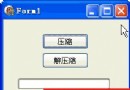 關於 Delphi 中流的使用(10): 壓縮與解壓縮進度
本例效果圖: 代碼文件:unit Unit1; interface uses Windows, Messages, SysUtils, Varian
Delphi 正則表達式之TPerlRegEx 類的屬性與方法(1): 查找
//查找是否存在 var reg: TPerlRegEx; begin reg := TPerlRegEx.Create(nil); reg.Subj


