 操作 Wave 文件(15): 合並與剪裁 wav 文件
unit Unit1; interface uses Windows, Messages, SysUtils, Variants, Classes, G
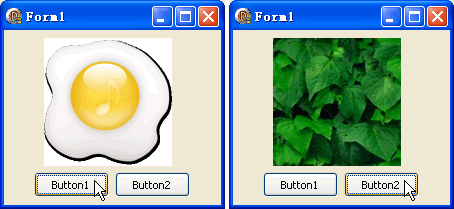 Delphi學習使用資源文件 - 用 Image 顯示資源中的圖片
首先編輯 rc 文件如下(假定圖片文件放在程序目錄下的 img 文件夾下): bmp1 BITMAP imgbmpFile1.bmp bmp2 BITM
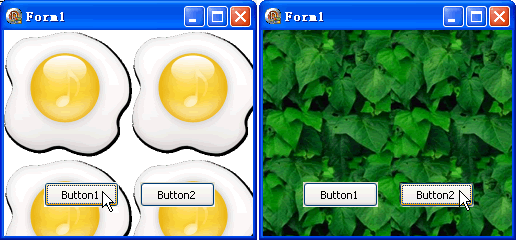 Delphi學習使用資源文件 - 用資源中的圖片做背景、使用 LoadFrom
首先編輯 rc 文件如下(假定圖片文件放在程序目錄下的 img 文件夾下): 1 BITMAP img\bmpFile1.bmp 2 BITMAP im
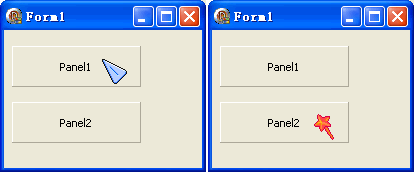 Delphi學習使用資源文件 - 鼠標指針資源
//rc 文件: cur1 CURSOR cur\kyodai.cur cur2 CURSOR cur\static.cur //或者 cur1,CURSO
Delphi學習使用資源文件 - 關於 HInstance
/幾乎每一個提取資源的例子都用到了 HInstance, 做個對比測試: var h,a,f: Cardinal; begin h := HInstanc
Delphi學習使用資源文件 - WAVE 資源
//rc 文件: sound1 WAVE SoundFile1.wav sound2 WAVE SoundFile2.wav //代碼: unit Uni
Delphi學習使用資源文件 - 嵌入和提取任何類型的文件
//下面是 Windows 支持的資源格式: RT_CURSOR = MakeIntResource(1); RT_BITMAP = MakeIn
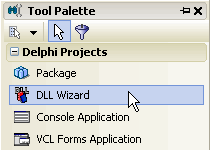 Delphi學習使用資源文件 - DLL 中的資源文件
本例將把一張 bmp 圖片, 以資源文件的方式嵌入 dll, 然後再調用. 第一步: 建一個 DLL 工程, 如圖: 然後保存, 我這裡使用的名稱都是默認
 TTreeView講解 [1] - TTreeNodes、TTreeNode 與 Items、Items.C
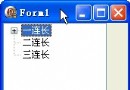
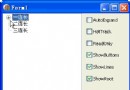
填寫 TTreeVIEw 的內容一般是這樣開始的(下圖), 不過我覺得最好習慣用動態建立. 打個比方: 譬如 TreeVIEw 是一個軍營的營部! 這裡會
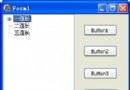 TTreeView講解 [2] - Items.Item[i]、Items[i]、.Text、SetFocus(設置焦點)、Select(選擇)
本例效果圖: 源碼:unit Unit1; interface uses Windows, Messages, SysUtils, Variants,
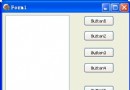 TTreeView講解 [3] - Add、AddChild、AddFirst、AddChildFirst
本例效果圖:unit Unit1; interface uses Windows, Messages, SysUtils, Variants, Clas
 TTreeView講解 [4] - TTreeNode 類的常用屬性與 TTreeView 類的
本例效果圖:unit Unit1; interface uses Windows, Messages, SysUtils, Variants, Cla
 TTreeView講解 [5] - TTreeNode.Level 屬性
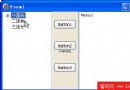
本例效果圖:unit Unit1; interface uses Windows, Messages, SysUtils, Variants, Cla
 TTreeView講解 [6] - SaveToFile、LoadFromStream、SaveToStream、LoadFromFile
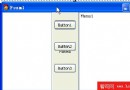
本例效果圖:unit Unit1; interface uses Windows, Messages, SysUtils, Variants, Cla
 TTreeView講解 [7] - Insert、Delete
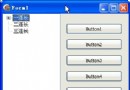
本例效果圖:unit Unit1; interface uses Windows, Messages, SysUtils, Variants, Clas
 TTreeView講解 [8] - AlphaSort、CustomSort、SortType
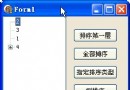
本例效果圖:unit Unit1; interface uses Windows, Messages, SysUtils, Variants, Clas