Spring 整合 Hibernate 時啟用二級緩存實例詳解
寫在前面:
1. 本例使用 Hibernate3 + Spring3;
2. 本例的查詢使用了 HibernateTemplate;
1. 導入 ehcache-x.x.x.jar 包;
2. 在 applicationContext.xml 文件中找到 sessionFactory 相應的配置信息並在設置 hibernateProperties 中添加如下代碼:
<!-- 配置使用查詢緩存 -->
<prop key="hibernate.cache.use_query_cache">true</prop>
<!-- 配置啟用二級緩存 -->
<prop key="hibernate.cache.use_second_level_cache">true</prop>
<!-- 配置二級緩存的提供商 -->
<prop key="hibernate.cache.provider_class">org.hibernate.cache.EhCacheProvider</prop>
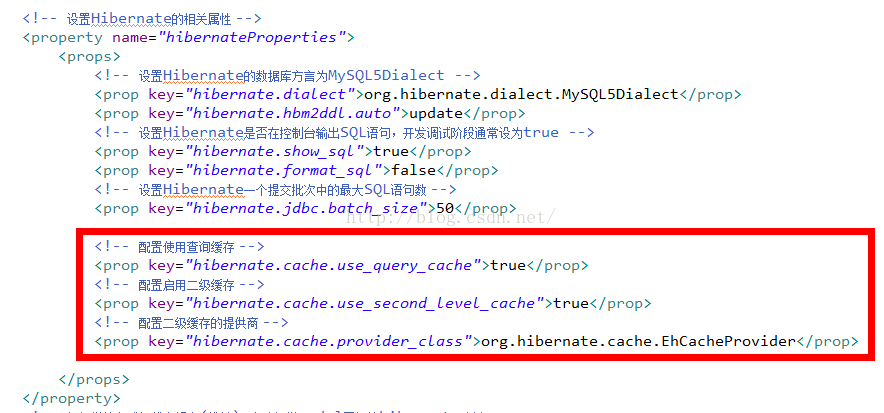
3. 由於查詢使用了 hibernateTemplate,所以還要在 hibernateTemplate 中做相應配置,找到 hibernateTemplate 的配置項,添加如下代碼:
<!-- 使用查詢緩存 -->
<property name="cacheQueries">
  <value>true</value>
</property>
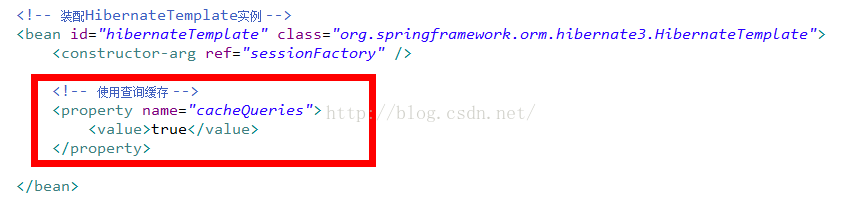
4. 在要緩存的實體類中加入如下注解:
@Cache(usage = CacheConcurrencyStrategy.READ_WRITE)
注:
usage 可以有以下幾個取值:
5. 配置 ehcache.xml 文件:
<ehcache>
  <!-- 指定一個文件目錄,當EHCache把數據寫到硬盤上時,將把數據寫到這個目錄下 -->
  <diskStore path="java.io.tmpdir"/>
  <!--
    name 設置緩存的名字,他的取值為類的完整名字或者類的集合的名字;
    maxElementsInMemory 設置基於內存的緩存可存放的對象的最大數目
    eternal 如果為true,表示對象永遠不會過期,此時會忽略timeToIdleSeconds和timeToLiveSeconds,默認為false;
    timeToIdleSeconds 設定允許對象處於空閒狀態的最長時間,以秒為單位;
    timeToLiveSeconds 設定對象允許存在於緩存中的最長時間,以秒為單位;
    overflowToDisk 如果為true,表示當基於內存的緩存中的對象數目達到maxElementsInMemory界限,會把溢出的對象寫到基於硬盤的緩存中;
   -->
  <!-- 設置緩存的默認數據過期策略 -->
  <defaultCache
    maxElementsInMemory="1000"
    eternal="false"
    timeToIdleSeconds="1200"
    timeToLiveSeconds="1200"
    overflowToDisk="false"
  />
  <!-- 設定具體的第二級緩存的數據過期策略 -->
  <cache name="com.shawearn.model.User"
    maxElementsInMemory="1000"
    eternal="false"
    timeToIdleSeconds="3000"
    timeToLiveSeconds="3000"
    overflowToDisk="false" />
</ehcache>
感謝閱讀,希望能幫助到大家,謝謝大家對本站的支持!